How to Estimate Paint for a Room Accurately in 2026 – Manual vs Spreadsheet vs Paint Calculator Tool
By Paint Pro Calc Editorial Team
Most painters buy 20% too much paint — or run out mid-job. Here's the definitive guide to estimating paint for a room accurately in 2026, comparing manual math, spreadsheets, and dedicated calculator tools.
How to Estimate Paint for a Room Accurately in 2026 – Manual vs Spreadsheet vs Paint Calculator Tool
Here's a stat that should stop every painter in their tracks: the average homeowner wastes 18–22% of paint on every project. For a professional contractor running 50+ jobs a year, that waste compounds into thousands of dollars of lost margin. The root cause is almost always the same — inaccurate estimation. Whether you're a DIY homeowner painting a bedroom or a seasoned contractor quoting a full commercial repaint, knowing how to estimate paint for a room accurately is the single most valuable skill you can develop.
In this guide, we'll walk through every method available in 2026: the manual formula approach, the spreadsheet method, and why a dedicated paint calculator tool like PaintProCalc is now the gold standard. You'll leave with a complete understanding of the paint estimation formula — and a free tool that does all the maths for you.
Table of Contents
- Why Most People Get Paint Estimation Wrong
- The Key Variables in Any Paint Estimate
- Method 1: Manual Calculation — Step by Step
- Method 2: The Spreadsheet Approach
- Method 3: Dedicated Paint Calculator Tools
- PaintProCalc In-Depth — Real Examples
- Common Paint Estimation Mistakes to Avoid
- Paint Estimation for Different Room Types
- Pro Tips for Contractors and Professional Painters
- FAQ: 12 Questions About Estimating Paint
- Final Thoughts & Free Tool
Why Most People Get Paint Estimation Wrong {#mistakes}
Before we get into the methods, it's worth understanding why paint estimation fails so often:
Mistake #1: Ignoring surface type. Brick absorbs 40–50% more paint than smooth drywall. Using the same coverage rate for both guarantees a wrong estimate.
Mistake #2: Forgetting doors and windows. A standard room might have 4–6 m² of door and window area. That's nearly a full litre of paint you're over-buying if you don't subtract it.
Mistake #3: Not accounting for coats. "It says one coat on the tin" — and yet, most quality finishes require two coats. Your estimate must reflect the actual number of coats.
Mistake #4: No wastage buffer. Paint is never applied with 100% efficiency. Brush strokes, roller splatter, and edge cutting all create minor waste. Industry standard is a 10–15% buffer.
Mistake #5: Using a round number. "I'll just buy 10 litres" is not a paint estimate. It's a guess. And guesses cost money.
The good news: every one of these mistakes is completely avoidable with the right process.
The Key Variables in Any Paint Estimate {#variables}
Regardless of which method you use, every accurate paint estimate depends on the same core inputs:
| Variable | Description | Typical Value |
|---|---|---|
| Wall area | Total paintable wall surface (m²) | Varies by room |
| Ceiling area | If painting ceilings | Length × Width |
| Door area | Standard door ≈ 1.8 m² | Subtract per door |
| Window area | Varies by window size | Subtract per window |
| Surface type | Drywall, brick, wood, concrete, etc. | Affects coverage |
| Coverage rate | m² per litre for your specific paint | 7–14 m²/L typical |
| Number of coats | 1, 2, or 3 coats | Usually 2 |
| Wastage factor | Buffer for efficiency loss | 10–15% |
Get these variables right, and your estimate will be right. Miss one, and you're back to guessing.
Method 1: Manual Calculation — Step by Step {#manual}
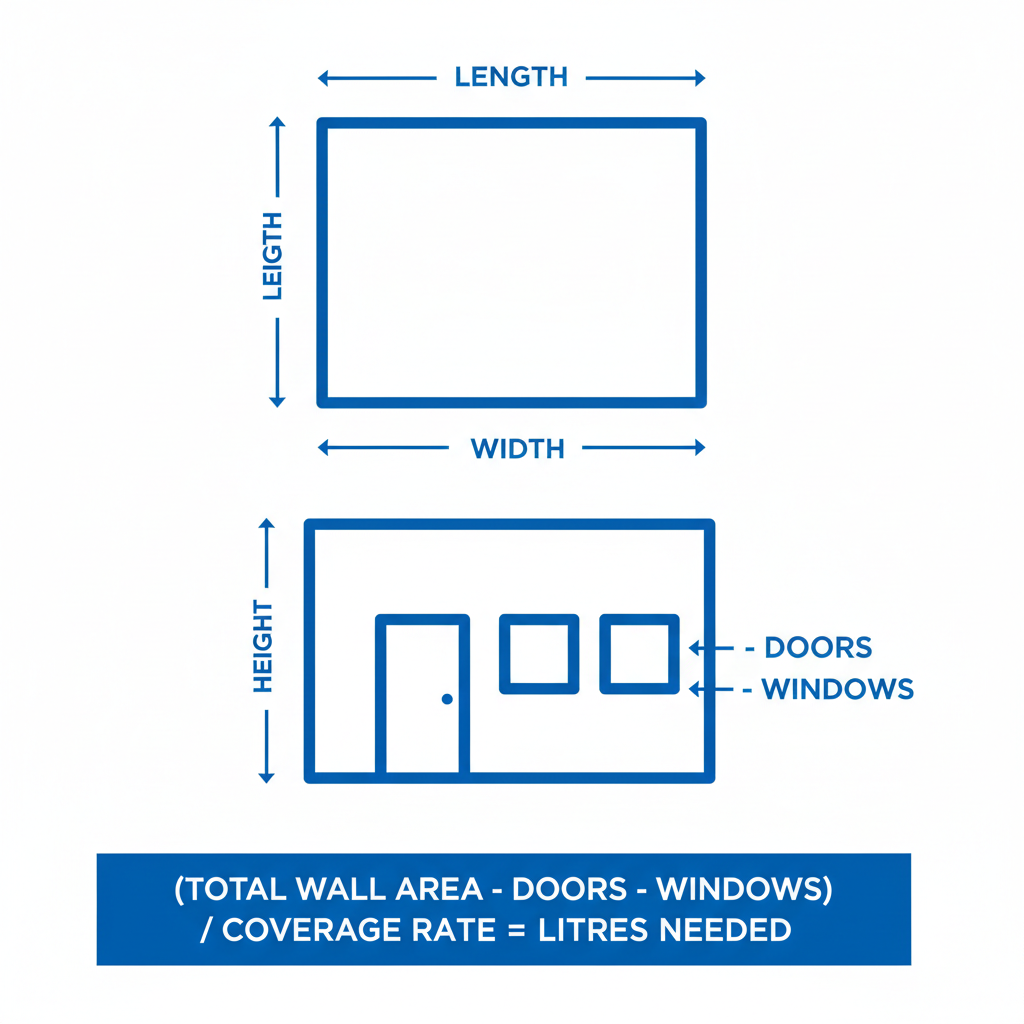
The manual method is the foundation. Every other method is built on this same formula. Understanding it will help you spot errors in any tool you use.
Step 1: Measure Your Walls
Measure the length and height of every wall in the room. Write them down.
Example room: 4m × 3.5m, ceiling height 2.4m
- Wall 1 (long): 4m × 2.4m = 9.6 m²
- Wall 2 (long): 4m × 2.4m = 9.6 m²
- Wall 3 (short): 3.5m × 2.4m = 8.4 m²
- Wall 4 (short): 3.5m × 2.4m = 8.4 m²
- Total wall area: 36 m²
Step 2: Subtract Doors and Windows
- 1 standard door: 0.9m × 2.0m = 1.8 m²
- 1 medium window: 1.2m × 1.0m = 1.2 m²
- Total subtractions: 3.0 m²
- Net paintable area: 36 − 3 = 33 m²
Step 3: Multiply by Number of Coats
For 2 coats: 33 m² × 2 = 66 m² total paint coverage needed.
Step 4: Divide by Coverage Rate
Coverage rate depends on your paint and surface type. For smooth drywall with a quality paint: approximately 12 m²/L.
66 ÷ 12 = 5.5 litres
Step 5: Add Wastage Buffer
Add 10% for a smooth wall (15% for rough/porous surfaces):
5.5 × 1.10 = 6.05 litres → Round up to 6.5 or 7 litres
The Complete Paint Estimation Formula
Litres Needed =
  ((Total Wall Area − Doors − Windows) × Coats)
  ÷ Coverage Rate
  × (1 + Wastage Factor)
Manual Method: Pros & Cons
Pros:
- Free — no tools required
- Teaches you the underlying maths
- Works anywhere, even without internet
Cons:
- Error-prone — one wrong measurement ruins the whole estimate
- Slow for multi-room projects
- Hard to adjust for different surface types
- No cost estimation built in
- No documentation or record of your calculation
- You have to redo it from scratch every time
Method 2: The Spreadsheet Approach {#spreadsheet}

Many professional painters and contractors have built their own Excel or Google Sheets templates over the years. It's a step up from pure manual calculation — your formula is pre-built, and you just plug in the numbers.
A Typical Spreadsheet Setup
A well-structured paint estimation spreadsheet usually includes:
- Input cells: wall dimensions, door/window counts, coverage rate, coat count
- Formula cells: auto-calculating area, net surface, litres needed
- Cost section: price per litre × litres = material cost
- Optional: labour rate × hours = labour cost
Spreadsheet Method: Pros
✅ Faster than pure manual calculation
✅ Formula is reusable across projects
✅ Can add cost estimation columns
✅ Free (Google Sheets) or low cost (Excel)
✅ Can be shared with colleagues
Spreadsheet Method: Cons
❌ You have to build and maintain the template yourself
❌ Formula errors are common and hard to spot
❌ No surface-type-specific coverage rates (unless you add them manually)
❌ Poor mobile experience — spreadsheets on phones are painful
❌ No PDF export for client quotes
❌ No project saving/history in a meaningful way
❌ No integration with invoicing, clients, or expenses
❌ Becomes unwieldy for multi-room or multi-project work
❌ Sharing with clients looks unprofessional
The Fundamental Problem with Spreadsheets
Spreadsheets were designed for accountants, not painters. They're a workaround — a good one if you invest the time — but they don't scale. The moment you're managing 10+ active projects, clients, and invoices, a spreadsheet becomes a liability, not an asset.
For a single room: spreadsheet is fine. For a painting business: it's holding you back.
Method 3: Dedicated Paint Calculator Tools {#calculator-tools}
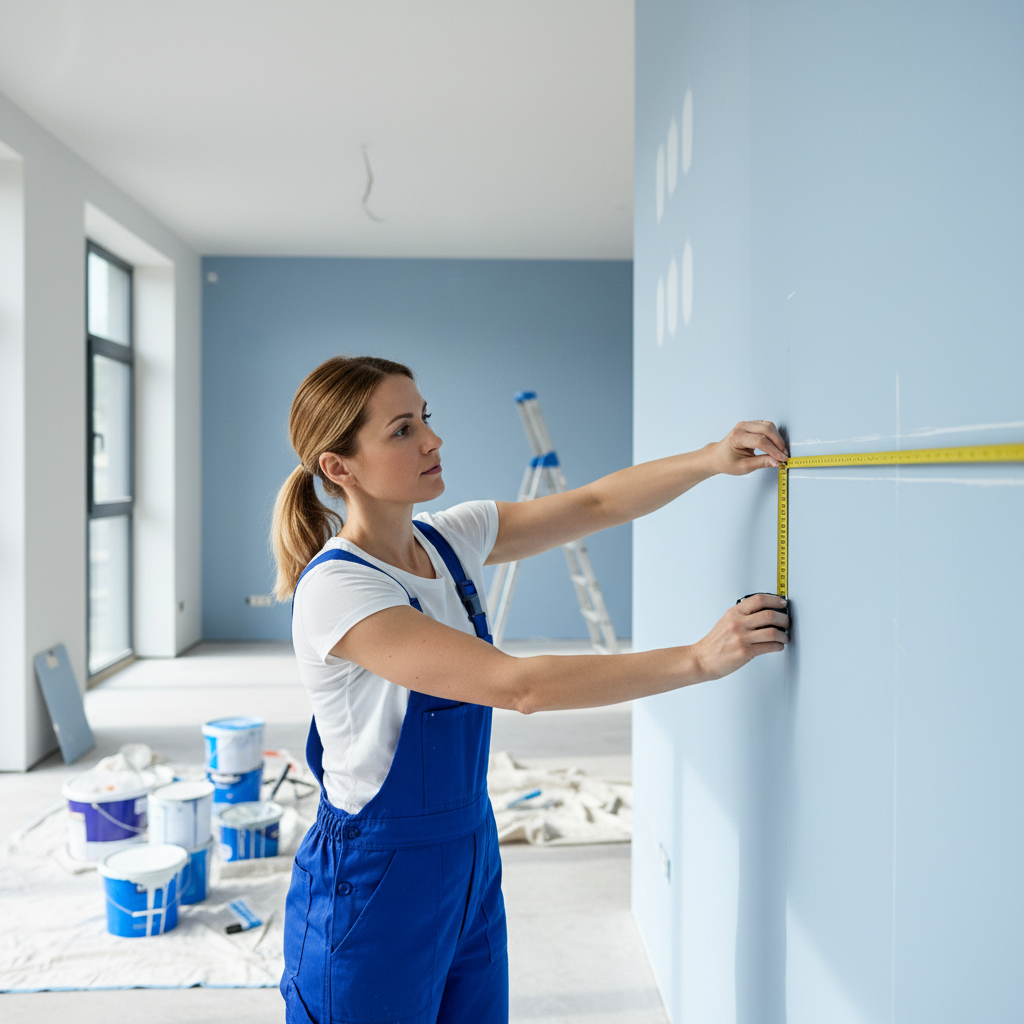
Dedicated paint calculator tools were built specifically for this problem. They combine the accuracy of the manual formula with the speed of a spreadsheet — and add features that neither can match.
What Makes a Great Paint Calculator Tool
The best tools in 2026 include:
- Surface-type-specific coverage rates — automatically adjusting for drywall, brick, wood, concrete, etc.
- Door and window subtraction — built-in, not something you calculate separately
- Wastage buffer — configurable percentage added automatically
- Cost estimation — material and labour costs calculated alongside quantities
- Project saving — revisit and update calculations without starting over
- PDF export — share professional quotes with clients
- Mobile-first design — works perfectly on-site from your phone
- Multi-room support — handle full houses, not just single rooms
The question isn't whether to use a paint calculator tool — it's which one.
PaintProCalc In-Depth — Real Examples {#paintprocalc}
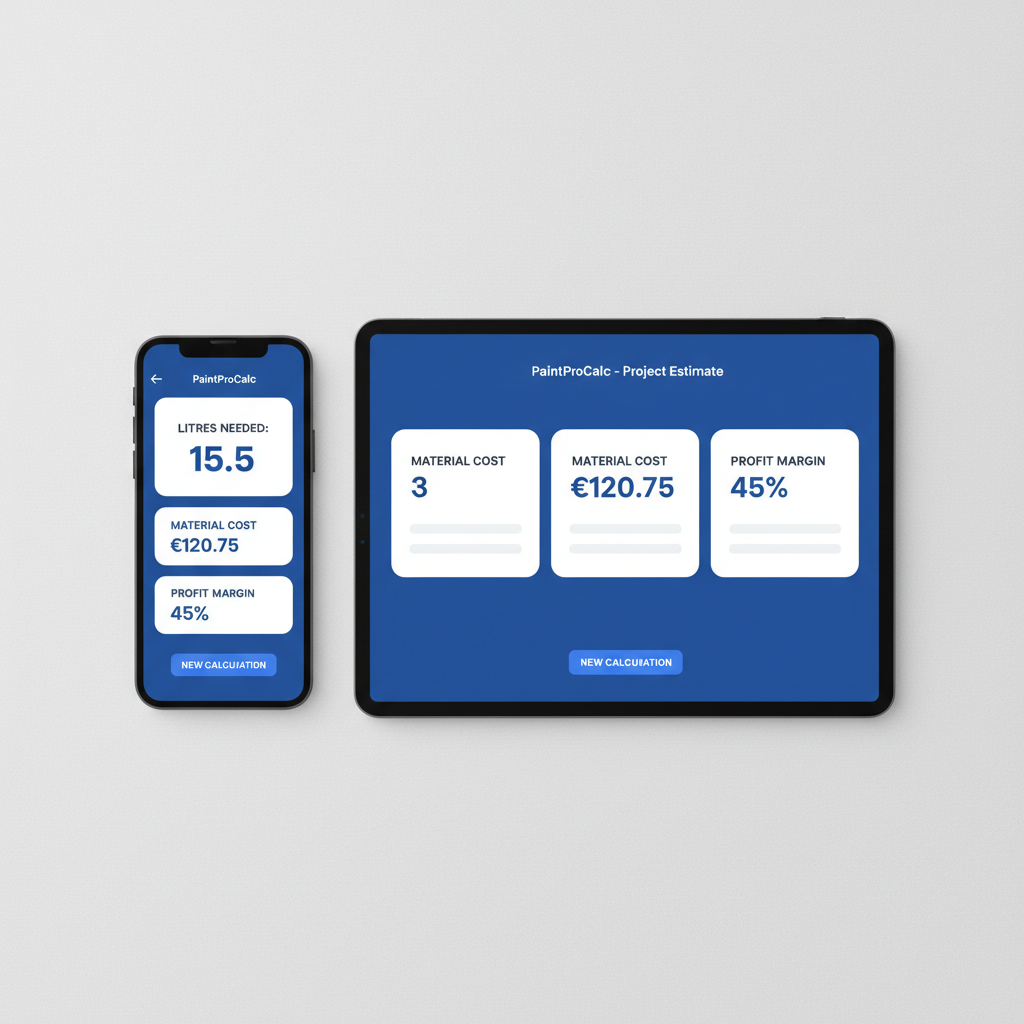
PaintProCalc is the most comprehensive paint calculator tool available in 2026. Here's how it handles real-world paint estimation scenarios.
Example 1: Bedroom (DIY Homeowner)
Project: Single bedroom, 4m × 3.5m, 2.4m ceiling height. One door, one window. Smooth drywall walls. Standard paint at $12/litre. 2 coats.
Using PaintProCalc:
- Enter room dimensions — length, width, height
- Select surface type: Drywall (auto-sets coverage rate to 12 m²/L)
- Add door (auto-subtracts 1.8 m²) and window (auto-subtracts 1.2 m²)
- Set coats to 2, wastage buffer to 10%
- Enter paint price: $12/L
Result in seconds:
- Net paintable area: 33 m²
- Total coverage needed: 66 m²
- Litres required: 6.1 L (with buffer)
- Material cost: $73.20
- Recommended purchase: 7 L (next can size up)
Manual method time: 8–12 minutes
PaintProCalc time: 45 seconds
Example 2: Full House Repaint (Professional Contractor)
Project: 3-bedroom house interior. 14 rooms total, mix of drywall, painted surfaces, and one brick feature wall. Client needs a quote by end of day.
Using PaintProCalc Pro:
- Create a named project for the job
- Enter each room's dimensions sequentially (takes ~3 minutes total)
- Select surface type per room — drywall for most, brick for the feature wall (auto-adjusts coverage rate to 7 m²/L for brick)
- Apply a 25% labour markup across the quote
- Generate a branded PDF quote with business logo and client details
- Send to client via email directly from the app
Total estimation time: Under 10 minutes
Manual/spreadsheet equivalent: 45–60 minutes
Client receives: A professional PDF quote, not a scribbled note
Example 3: Commercial Repaint (Interior Designer)
Project: 320 m² commercial office space. Mix of plasterboard, exposed brick, and painted concrete. Procurement needs material quantities for each surface type separately.
Using PaintProCalc Pro:
- Three separate project calculations — one per surface type
- Plasterboard: 180 m² × 2 coats ÷ 12 m²/L × 1.10 = 33 L
- Brick: 75 m² × 2 coats ÷ 7 m²/L × 1.15 = 24.6 L
- Painted concrete: 65 m² × 2 coats ÷ 9 m²/L × 1.10 = 15.9 L
- Save and name each calculation
- Export combined PDF material schedule for procurement
Without PaintProCalc: This would take an hour with spreadsheets and multiple formula lookups.
With PaintProCalc: 8 minutes.
PaintProCalc's Full Feature Set
| Feature | Detail |
|---|---|
| Surface types | 7 preset types with industry coverage rates |
| Calculators | Paint, tile, flooring, concrete, deck |
| Project saving | Unlimited (Pro) |
| Quote/invoice PDF | Branded, client-ready (Pro) |
| Cost estimation | Materials + labour + markup |
| Wastage buffer | 10–15% configurable |
| Client management | Full CRM-lite (Pro) |
| Expense tracking | Per-project profit margins (Pro) |
| AI Assistant | "Ask Painty" natural language queries (Pro) |
| Team features | Multi-user, pipeline, reporting (Business) |
| Mobile | PWA — works on any device |
| Pricing | Free tier, Pro $2.99/mo, Business $19.99/mo |
🎯 Try PaintProCalc Free — 7-Day Pro Trial
Stop estimating. Start calculating.
Register Free on PaintProCalc — Get Instant Accurate Estimates →
No credit card required. Full access to all Pro features for 7 days.
Common Paint Estimation Mistakes to Avoid {#pitfalls}
Even with the right method, these mistakes trip up experienced painters:
1. Using the Manufacturer's Coverage Rate Blindly
The coverage rate on the tin is measured under ideal lab conditions — even, single coat on smooth primed drywall. Real-world conditions (rough surfaces, aged walls, second coats on porous substrates) always reduce actual coverage. Use the manufacturer rate as a maximum, then adjust down by 10–20% for real conditions.
2. Forgetting the Ceiling
If you're painting the ceiling too, that's an entire extra surface area — for a 4m × 3.5m room, that's 14 m² you might be forgetting to include.
3. Not Adjusting for Dark-to-Light Colour Changes
Going from a dark colour to a light one almost always requires an extra coat. A room painted in deep charcoal that's being repainted in white will likely need 3 coats, not 2. Build this into your estimate upfront.
4. Using the Wrong Unit (Litres vs Gallons)
This is especially common for contractors working with international suppliers or US-based products. A US gallon is 3.785 litres. Using gallons when you mean litres will completely destroy your estimate. PaintProCalc's built-in unit converter eliminates this risk.
5. Estimating for a Whole Project Without Breaking It Into Rooms
Lumping an entire house into one big calculation is a recipe for errors. Estimate room by room — different surface types, different ceiling heights, different window configurations. It takes slightly longer but eliminates compounding errors.
Paint Estimation for Different Room Types {#room-types}
Different spaces have unique challenges for paint estimation:
Bedrooms
Typically the simplest. Standard drywall, predictable ceiling height. Watch for built-in wardrobes (don't subtract unless painted separately) and feature walls with different colours.
Kitchens and Bathrooms
More windows and doors per square metre than other rooms. More cut-in work at tiles and cabinetry. Coverage rates can be lower due to complex surfaces. Allow 15% wastage, not 10%.
Living Rooms and Open Plan Spaces
Often have higher ceilings, large windows, and accent walls. Calculate each wall individually when ceiling height varies. Feature walls with different colours need separate calculations.
Hallways and Stairwells
Deceptively complex. Stairwells have angled walls and very high ceilings in places. Measure every wall segment individually. Add 20% wastage for awkward access.
Exterior Walls
Weatherboard, brick, render — each has dramatically different coverage rates. Wind, temperature, and substrate porosity all affect actual consumption. Always add 15% wastage minimum for exterior work.
Pro Tips for Contractors and Professional Painters {#pro-tips}
If painting is your livelihood, here's how to take your estimation practice to the next level:
1. Build a coverage rate reference sheet. Test every product you regularly use and record the real-world coverage rate you achieve on each surface type. This outperforms manufacturer specs every time.
2. Use project history to refine your estimates. PaintProCalc lets you save every project. Over time, compare your estimates to actual paint used — and refine your coverage rate inputs accordingly.
3. Estimate materials and labour together. A litre count is only half the picture. Your quote needs to include labour hours, markup, and contingency. Use a tool like PaintProCalc that integrates material and labour estimation into one workflow.
4. Create templates for repeat project types. If you regularly quote 3-bedroom house interiors or commercial office repaints, save a template with your standard room sizes and surface types. Estimation time drops from 10 minutes to 2 minutes per job.
5. Send professional PDF quotes, not photos of handwritten notes. Your estimate is often the first deliverable your client sees. It sets the tone for the entire job. PaintProCalc Pro's quote generator produces branded, itemised PDFs that win jobs.
6. Track actual vs estimated consumption per job. The difference between your estimate and your actual usage is your estimation accuracy rate. The best painters in the industry track this and improve it over time.
🚀 Ready to Estimate Like a Professional?
Whether you're a DIYer painting one bedroom or a contractor managing 30 active jobs, PaintProCalc gives you the tools to estimate accurately, quote professionally, and never buy the wrong amount of paint again.
Register Free on PaintProCalc — Instant Accurate Estimates →
✅ 7-day free Pro trial — no credit card required
✅ Surface-type-accurate calculations
✅ Professional quote & invoice PDF generator
✅ Unlimited project saving
✅ AI Paint Assistant included
✅ Works on any device — phone, tablet, desktop
FAQ: 12 Questions About Estimating Paint {#faq}
1. How do I calculate how much paint I need for a room?
Measure the total wall area (perimeter × ceiling height), subtract door and window areas, multiply by the number of coats, divide by the paint's coverage rate (m²/L), and add a 10–15% wastage buffer. Or use PaintProCalc — it does all of this in seconds.
2. What is the standard coverage rate for paint?
Coverage rates vary by surface type and paint quality. Typical rates: smooth drywall ~12 m²/L, painted surfaces ~14 m²/L, brick ~7 m²/L, concrete ~8–9 m²/L, rough wood ~7–8 m²/L. Always check your specific product's datasheet.
3. How much paint do I need for a 12×12 room?
A 12×12 ft (3.65m × 3.65m) room with 2.4m ceilings has approximately 35 m² of wall area. After subtracting a door and window (~3 m²), you need approximately 32 m² × 2 coats = 64 m². At 12 m²/L coverage: about 5.3 litres, plus 10% buffer = roughly 6 litres.
4. Do I need to subtract doors and windows from my paint calculation?
Yes, always. Standard doors are approximately 1.8 m² and windows range from 0.8–2.5 m² depending on size. Omitting them typically causes a 10–15% over-purchase on paint.
5. How many coats of paint does a room need?
Most interior rooms need 2 coats for a quality finish. New drywall may need a primer coat first. Dramatic colour changes (e.g., dark to light) often need 3 coats. Always build your actual coat count into your estimate.
6. Should I add extra paint for wastage?
Yes. Industry standard is 10% for smooth walls and 15% for rough, porous, or textured surfaces. This accounts for brush/roller inefficiency, drips, and edge cutting.
7. How do I estimate paint for brick walls?
Brick is much more porous than drywall. Use a coverage rate of approximately 6–8 m²/L rather than 12–14 m²/L. Add a 15% wastage buffer. Consider whether a sealer/primer is needed first — this adds another coat to your estimate.
8. What is the easiest way to estimate paint for a room?
The easiest method is a dedicated paint calculator tool like PaintProCalc. Input your room dimensions, select your surface type, set your coats and wastage buffer, and get an instant accurate result — including material cost.
9. Can I use a paint calculator for exterior walls?
Yes. PaintProCalc supports exterior surface types including weatherboard, render, and brick. Enter your wall dimensions and select the correct surface type. Add at least 15% wastage for exterior work.
10. How do professional painters estimate large jobs?
Professional painters break large jobs into individual rooms or surfaces, estimate each separately, then aggregate the totals. They use tools like PaintProCalc to save time and produce professional client quotes alongside the quantity estimates.
11. Is paint calculator estimation accurate enough for professional quoting?
Yes — if you input accurate measurements and correct coverage rates. PaintProCalc uses industry-standard rates per surface type, which match real-world conditions closely. Many contractors use PaintProCalc estimates directly in their client quotes.
12. What happens if I underestimate paint?
Running out of paint mid-job is one of the most costly mistakes in painting. If a colour is discontinued or the batch differs, you can end up with visible colour variation on finished walls. Always add a wastage buffer and round up to the nearest logical can size.
Final Thoughts & Free Tool {#conclusion}
Estimating paint for a room isn't rocket science — but it does require a systematic approach. Manual calculation teaches you the fundamentals. Spreadsheets give you a reusable framework. But in 2026, dedicated paint calculator tools have made both methods largely obsolete for anyone who paints more than once a year.
The formula is simple:
Litres = ((Wall Area − Openings) × Coats) ÷ Coverage Rate × Wastage Buffer
But the execution — surface-type accuracy, multi-room management, professional quotes, client records, expense tracking — that's where PaintProCalc earns its place as the industry's go-to platform.
Stop estimating by feel. Start calculating with precision.
🎯 Start Your Free Trial on PaintProCalc Today
Join thousands of painters and contractors who calculate accurately, quote professionally, and never over-buy paint again.
Register Free — 7-Day Pro Trial, No Credit Card Required →
✅ Instant accurate estimates for any room type
✅ Professional branded PDF quote generator
✅ Save unlimited projects and clients
✅ AI Paint Assistant for instant answers
✅ Works on phone, tablet, and desktop
✅ Pro from just $2.99/month after trial
"Finally one tool that does everything — estimates, invoices, clients. Cancelled 3 other subscriptions." — Sarah T., Interior Designer
About the Author: The Paint Pro Calc Editorial Team consists of professional painters, contractors, and construction industry writers committed to helping painting professionals work smarter, estimate faster, and earn more.