Best Paint Calculator Apps in 2026: PaintProCalc vs Dulux Paint Calculator vs HomeDepot Calculator
By Paint Pro Calc Editorial Team
Stop guessing how much paint you need. We tested the top paint calculator apps in 2026 — PaintProCalc, Dulux, and HomeDepot — so you can choose the right tool for your next project.

Best Paint Calculator Apps in 2026: PaintProCalc vs Dulux Paint Calculator vs HomeDepot Calculator
If you've ever bought too much paint — or worse, run out halfway through a job — you know how expensive guessing can be. The best paint calculator app in 2026 doesn't just estimate litres; it saves you money, eliminates waste, and makes you look professional in front of clients. But with dozens of tools available, which one should you actually use?
In this in-depth comparison, we put PaintProCalc, Dulux Paint Calculator, and HomeDepot Calculator head to head. Whether you're a DIY homeowner painting a bedroom or a professional contractor quoting a full house exterior, this guide will tell you exactly which tool wins — and why.
Table of Contents
- Why a Paint Calculator Matters in 2026
- The 3 Contenders: Quick Overview
- PaintProCalc — In-Depth Review
- Dulux Paint Calculator — In-Depth Review
- HomeDepot Calculator — In-Depth Review
- Full Feature Comparison Table
- Real-Life Use Case Examples
- Why PaintProCalc Is the Best Choice in 2026
- How to Choose the Right Paint Calculator App
- FAQ: 14 Common Questions Answered
- Final Verdict & Next Steps
Why a Paint Calculator Matters in 2026 {#why-it-matters}
Paint projects are one of the most cost-sensitive tasks in construction and home renovation. According to industry data, the average DIY homeowner wastes between 15–20% of paint purchased due to over-buying. For professional painters and contractors, this margin compounds across dozens of jobs every year — eating directly into profit.
A proper paint estimator app removes the guesswork entirely. It calculates surface area, accounts for doors and windows, applies the correct coverage rate for your surface type, adjusts for coats, and even calculates material cost and labour estimates.
But not all paint calculator tools are equal. Some are glorified multiplication tables. Others — like PaintProCalc — are full-featured professional paint estimating software platforms built specifically for painters and contractors.
Let's break them down.
The 3 Contenders: Quick Overview {#overview}
| App | Best For | Free? | Mobile? | Pro Features? |
|---|---|---|---|---|
| PaintProCalc | Contractors, painters, DIYers | ✅ Free tier + Pro trial | ✅ Yes | ✅ Full suite |
| Dulux Paint Calculator | Dulux-brand paint buyers | ✅ Free | ✅ Yes | ❌ Limited |
| HomeDepot Calculator | US HomeDepot shoppers | ✅ Free | ✅ Yes | ❌ None |
PaintProCalc — In-Depth Review {#paintprocalc}

PaintProCalc (paintprocalc.com) is the most comprehensive paint quantity calculator available in 2026. Unlike brand-specific calculators, it's built for real-world painting professionals and DIY homeowners who need accuracy, flexibility, and business tools — not just a rough litre count.
What PaintProCalc Offers
PaintProCalc goes far beyond a simple how much paint do I need calculator. It's a complete estimation and business platform:
- Multi-surface paint calculator — Drywall, brick, wood, metal, concrete, and more, each with pre-set coverage rates
- Multiple calculator types — Paint, tile, flooring, concrete, and deck calculators all in one place
- Advanced options — Wastage factor (10–15%), labour cost estimation (hourly or per m²), profit markup
- Project dashboard — Save, organise, and load unlimited projects
- Quote & invoice PDF generator — Send professional PDFs to clients in seconds
- Expenses & profit tracker — Log costs per project and see real margins
- Client management — Keep all client contacts and job details organised
- AI Paint Assistant ("Painty") — Ask natural language questions about paint requirements
- Unit Converter — Switch between metric and imperial seamlessly
- Template system — Save and reuse common project setups
- Team features (Business plan) — Kanban pipeline, multi-user accounts, advanced reporting
Pros
✅ Most accurate calculations across all surface types
✅ Works for any paint brand — not locked to one manufacturer
✅ Full business suite (quotes, invoices, clients, expenses)
✅ Mobile-friendly PWA — works on phone, tablet, desktop
✅ 7-day free Pro trial — no credit card required
✅ Affordable: Pro from $2.99/month
✅ Multi-language support (English, Spanish, French)
✅ Dark mode, offline-capable
Cons
❌ Pro features require a subscription (free tier is limited)
❌ Some advanced business features only on Business plan ($19.99/month)
Pricing
- Free: Basic calculators, single room estimation
- Pro: $2.99/month (or $24.99/year) — Unlimited projects, invoices, clients, AI assistant
- Business: $19.99/month (or $199/year) — Team accounts, Kanban pipeline, advanced reporting
Best for: Professional painters, contractors, interior designers, and serious DIYers who want accuracy and business tools in one place.
Dulux Paint Calculator — In-Depth Review {#dulux}
Dulux's built-in paint calculator is available on their website and is designed primarily to help customers figure out how many litres of Dulux-branded paint they need to purchase.
What Dulux Paint Calculator Offers
- Basic room dimension input (length × height)
- Pre-set coverage rates for Dulux products only
- Suggests specific Dulux products based on your input
- Simple coat count selection
- Direct link to buy on Dulux website
Pros
✅ Free to use
✅ Quick and simple for basic calculations
✅ Integrated with Dulux product recommendations
✅ Good for homeowners buying Dulux paint
Cons
❌ Only covers Dulux products — useless if you use other brands
❌ No surface-type adjustment (brick vs drywall have very different coverage)
❌ No project saving or history
❌ No cost estimation or labour tools
❌ No PDF export or client-facing documents
❌ No mobile app — web only
❌ No wastage factor option
❌ Designed to sell Dulux paint, not optimise your project
Pricing
Free — but the "real cost" is being steered toward Dulux purchases.
Best for: Homeowners who already know they're buying Dulux paint and want a quick rough estimate.
HomeDepot Calculator — In-Depth Review {#homedepot}
HomeDepot's paint calculator is embedded in their website and app, designed to help US shoppers estimate how much paint to buy before adding to cart.
What HomeDepot Calculator Offers
- Room dimension input with door/window subtraction
- Selectable number of coats
- Recommends HomeDepot-stocked paint products
- Works within the HomeDepot shopping app
Pros
✅ Free
✅ Includes door and window subtraction (better than Dulux)
✅ Integrated with HomeDepot's product catalog
✅ Good for one-off room projects
Cons
❌ US-only focus — limited international coverage rates
❌ Locked to HomeDepot's product range
❌ No project saving
❌ No labour or cost estimation
❌ No professional tools (quotes, invoices, clients)
❌ Coverage rates not adjustable per surface type
❌ No API or export features
❌ Purely a shopping tool, not a professional estimator
Pricing
Free within the HomeDepot app.
Best for: US homeowners shopping at HomeDepot who want a quick paint quantity estimate before checkout.
Full Feature Comparison Table {#comparison-table}
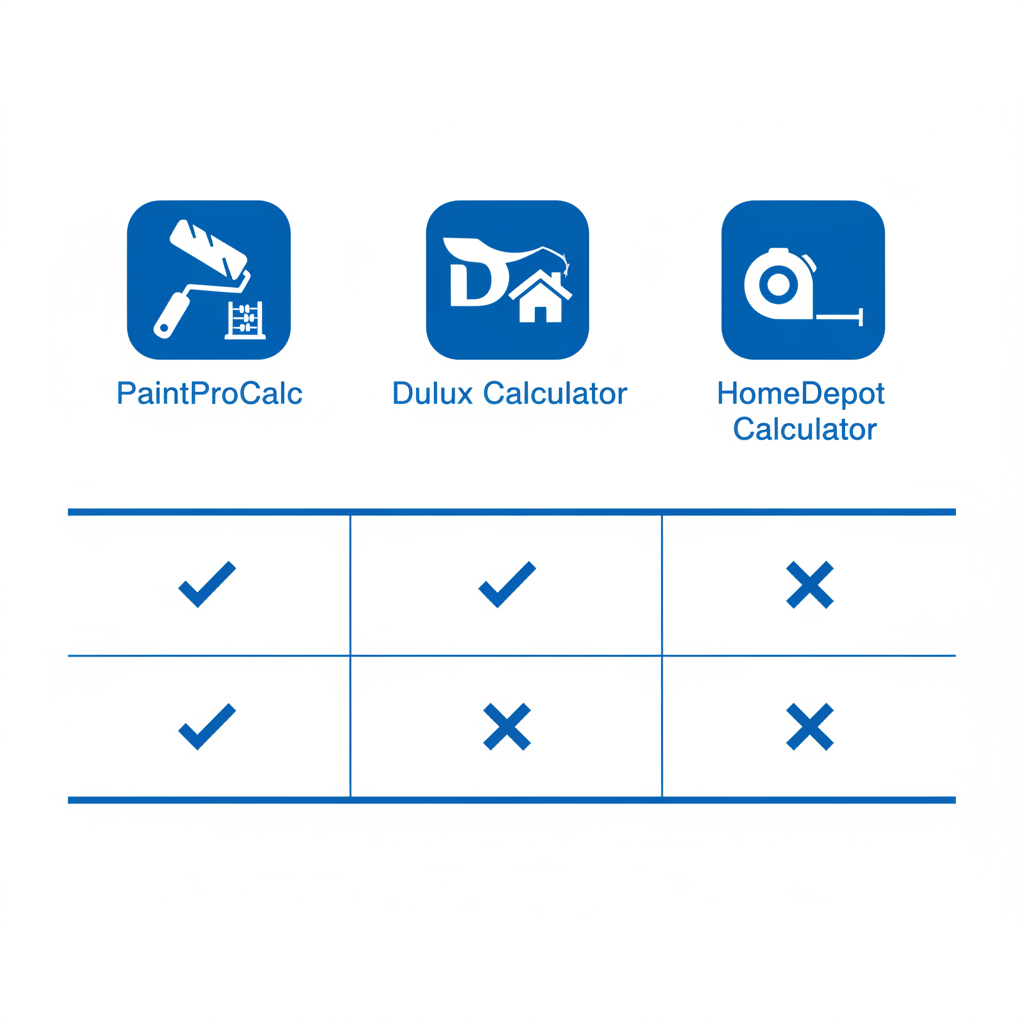
| Feature | PaintProCalc | Dulux Calculator | HomeDepot Calculator |
|---|---|---|---|
| Free tier | ✅ | ✅ | ✅ |
| Any paint brand | ✅ | ❌ | ❌ |
| Surface type adjustment | ✅ (7 types) | ❌ | ❌ |
| Door/window subtraction | ✅ | ❌ | ✅ |
| Wastage factor | ✅ (10–15%) | ❌ | ❌ |
| Labour cost estimation | ✅ | ❌ | ❌ |
| Profit markup | ✅ | ❌ | ❌ |
| Save projects | ✅ (Pro) | ❌ | ❌ |
| Quote/invoice PDF | ✅ (Pro) | ❌ | ❌ |
| Client management | ✅ (Pro) | ❌ | ❌ |
| Expenses tracker | ✅ (Pro) | ❌ | ❌ |
| AI assistant | ✅ (Pro) | ❌ | ❌ |
| Multiple calculators | ✅ (5 types) | ❌ | ❌ |
| Team/multi-user | ✅ (Business) | ❌ | ❌ |
| Kanban pipeline | ✅ (Business) | ❌ | ❌ |
| Mobile PWA | ✅ | ❌ | ✅ (app only) |
| Works internationally | ✅ | Partial | ❌ |
| Dark mode | ✅ | ❌ | ❌ |
| Pro pricing | $2.99/mo | Free | Free |
Verdict: PaintProCalc wins on every professional dimension. The free tools from Dulux and HomeDepot are useful for a single quick purchase estimate — nothing more.
Real-Life Use Case Examples {#use-cases}

Use Case 1: DIY Homeowner Painting a Bedroom
Scenario: Sarah is repainting her 4m × 3.5m bedroom. She has a standard door and one window. She's using a mid-range paint at $14/litre.
- HomeDepot/Dulux: She gets a rough litre estimate. No cost total. She buys 8L and has 2L leftover.
- PaintProCalc (Free): She inputs her dimensions, selects "Drywall" as the surface type, sets 2 coats, adds a 10% wastage buffer, and enters the price per litre. She gets: 7.4L needed, estimated cost $103.60. She buys exactly 8L (one can) with minimal waste.
Winner for Sarah: PaintProCalc — even on the free tier.
Use Case 2: Professional Painter Quoting a Full House
Scenario: James is a professional painter quoting a 3-bedroom house interior — 12 rooms of varying sizes, all different surface types. He needs to send a professional quote to the client today.
- Dulux/HomeDepot: Completely inadequate. No project saving, no PDF export, no cost breakdown.
- PaintProCalc (Pro): James saves each room as a project, gets total paint and cost across all rooms, logs his labour hours, applies a 25% markup, and generates a branded PDF quote. Client receives it within the hour.
Winner for James: PaintProCalc Pro — by a mile.
Use Case 3: Interior Designer Specifying Materials
Scenario: Emma is specifying paint for a commercial fit-out — 400m² of walls across multiple surface types (drywall, concrete, brick). She needs accurate quantities for each surface to submit to procurement.
- Dulux/HomeDepot: Cannot handle multiple surface types or export material schedules.
- PaintProCalc (Pro): Emma creates multiple calculations for each surface type, saves them as named projects, and exports a PDF breakdown for procurement. Total time: 15 minutes.
Winner for Emma: PaintProCalc Pro — nothing else comes close.
Why PaintProCalc Is the Best Choice in 2026 {#winner}
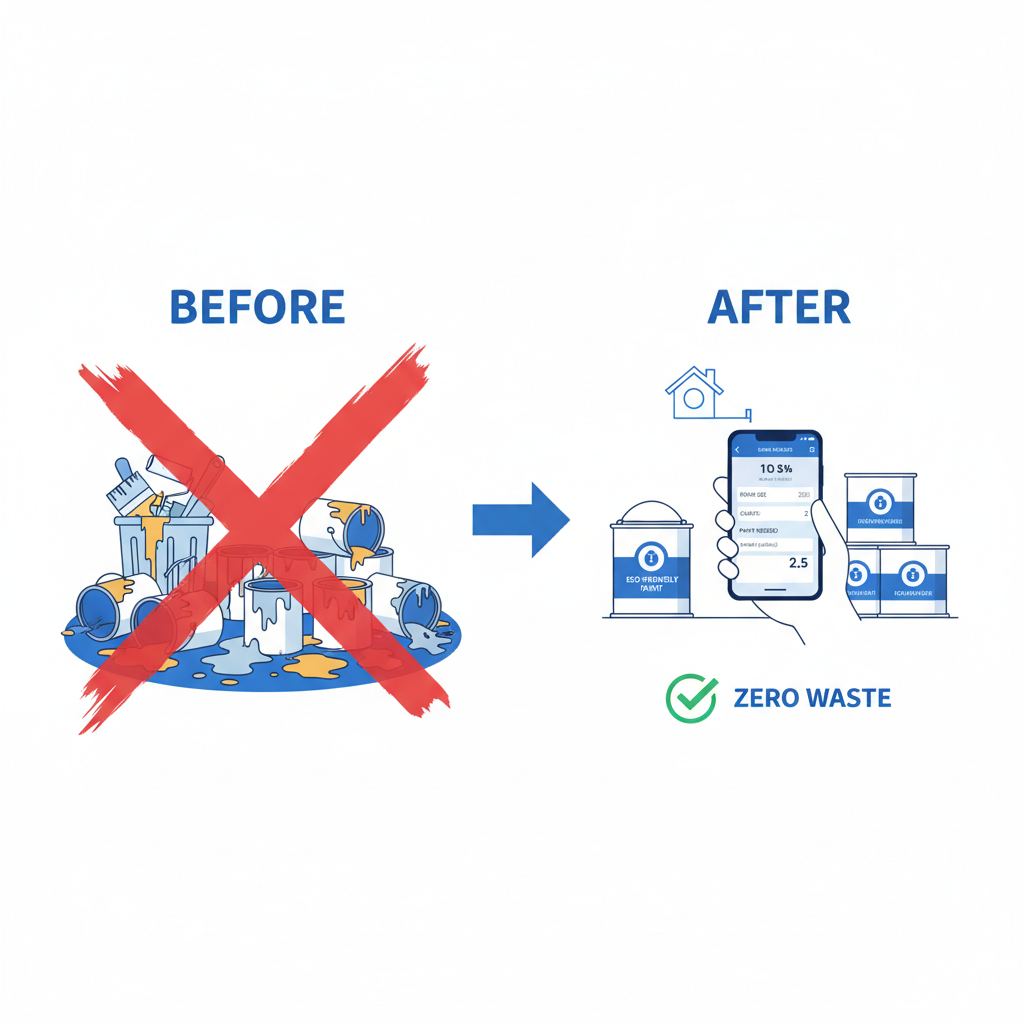
Here's the honest truth: Dulux and HomeDepot calculators were never designed to be professional paint estimating software. They're shopping tools — designed to get you to the checkout faster, not to make your business more profitable.
PaintProCalc was built from the ground up for painters and contractors who take their work seriously. Here's why it stands apart in 2026:
1. Brand-Agnostic Accuracy
PaintProCalc works with any paint brand. You enter the coverage rate of whatever product you're using — whether that's Dulux, Resene, Haymes, Benjamin Moore, or any other brand. The other tools force you into their own product ecosystem.
2. Real Professional Tools
No other free or low-cost tool offers quote generation, invoice creation, client management, expense tracking, and profit margins in one place. PaintProCalc replaces 4–5 separate apps that contractors typically cobble together.
3. Surface-Type Precision
Brick absorbs significantly more paint than drywall. Concrete absorbs more than painted wood. PaintProCalc's 7 surface type presets — each with industry-standard coverage rates — means your estimates are actually accurate, not just rough guesses.
4. Business Growth Features
The Business plan's Kanban pipeline, team accounts, and advanced reporting dashboards are things you'd find in $50+/month contractor management platforms. PaintProCalc offers all of this from $19.99/month.
5. 7-Day Free Pro Trial
You can try every Pro feature — unlimited projects, PDF quotes, client management, AI assistant — completely free for 7 days. No credit card required. The other tools? They'll never offer you that because there's nothing premium to offer.
Bottom line: If you paint one wall a year, any free tool will do. If you paint professionally, or if you care about accuracy and saving money on materials, PaintProCalc is the only choice.
How to Choose the Right Paint Calculator App {#buying-guide}
Not every painter has the same needs. Here's a quick buying guide to match your situation:
Choose a Free Basic Calculator (Dulux/HomeDepot) if:
- You're doing a single, one-off DIY project
- You're buying from that specific brand/store
- You only need a rough litre estimate with no cost tracking
- You don't need to share results with anyone
Choose PaintProCalc Free if:
- You want surface-type accuracy
- You want cost estimates alongside litre quantities
- You're doing multiple rooms or projects throughout the year
- You want to save and revisit your calculations
Choose PaintProCalc Pro ($2.99/month) if:
- You're a professional painter or contractor
- You need to send quotes and invoices to clients
- You want to track expenses and see profit margins per job
- You want the AI Paint Assistant for instant answers
- You manage multiple projects and clients
Choose PaintProCalc Business ($19.99/month) if:
- You run a painting company with a team
- You need a visual pipeline to track job stages
- You want team task management and reminders
- You need advanced reporting and monthly revenue tracking
- You want owner-level permission controls across your team
Key questions to ask when evaluating any paint calculator:
- Does it support multiple surface types with different coverage rates?
- Can it subtract doors and windows accurately?
- Does it include a wastage/buffer option?
- Can it generate client-facing documents?
- Does it work on mobile?
- Does it work with any paint brand, or is it brand-locked?
- Can you save and revisit projects?
- Does it scale as your business grows?
PaintProCalc answers "yes" to all 8. The others answer "yes" to 2–3 at best.
🎯 Start Your Free Trial Today
Ready to stop guessing and start calculating with precision? PaintProCalc's 7-day free Pro trial gives you full access to every feature — quote generator, invoice creator, AI Paint Assistant, unlimited project saving, client management, and more.
Start Your Free 7-Day Trial → paintprocalc.com
No credit card required. Cancel anytime. Trusted by painters and contractors worldwide.
FAQ: 14 Common Questions Answered {#faq}
1. What is the best paint calculator app in 2026?
PaintProCalc is the best paint calculator app in 2026 for professional painters and contractors. For a single quick estimate when shopping at a specific store, Dulux and HomeDepot calculators work for basic needs.
2. Is PaintProCalc free to use?
Yes. PaintProCalc has a free tier that includes basic paint, tile, flooring, and concrete calculators. Pro features (project saving, invoice generation, client management) are available with a 7-day free trial, then from $2.99/month.
3. How accurate is a paint calculator app?
Accuracy depends on the quality of your input and the tool's coverage rate data. PaintProCalc uses industry-standard coverage rates per surface type and allows custom adjustments — making it significantly more accurate than generic calculators.
4. Can I use PaintProCalc with any paint brand?
Yes. PaintProCalc is completely brand-agnostic. You enter the coverage rate for whatever product you're using, so it works with any paint brand worldwide.
5. Does PaintProCalc work on mobile?
Yes. PaintProCalc is a Progressive Web App (PWA) — it works on any device (phone, tablet, desktop) and can be installed to your home screen for quick access.
6. How do I calculate how much paint I need for a room?
Measure the length and height of each wall, subtract door and window areas, multiply by the number of coats, and divide by the paint's coverage rate (m²/litre). PaintProCalc automates all of this — just enter your dimensions.
7. What is the standard paint coverage rate?
It varies by surface type and paint quality. Typical rates: drywall ~12 m²/L, painted wall ~14 m²/L, brick ~7 m²/L, concrete ~8 m²/L. Premium paints may cover more. PaintProCalc has preset rates for 7 surface types.
8. Should I add a wastage buffer to my paint calculation?
Yes — industry standard is 10% for regular surfaces and 15% for rough or porous surfaces. PaintProCalc includes a wastage factor option that automatically adds this to your estimate.
9. Can PaintProCalc generate quotes and invoices?
Yes. PaintProCalc Pro includes a full quote and invoice PDF generator. You enter your business details and client information, and it produces a professional branded document ready to send.
10. Is PaintProCalc suitable for professional contractors?
Absolutely. PaintProCalc was specifically designed for professional painters and contractors. The Pro and Business plans include client management, project tracking, expense logging, profit margins, team tools, and a Kanban pipeline.
11. How does PaintProCalc compare to expensive contractor software?
PaintProCalc offers similar functionality to platforms costing $50–$100+/month but at $2.99–$19.99/month. It focuses specifically on paint and materials calculation rather than full general contracting management.
12. Can I use PaintProCalc for commercial painting projects?
Yes. PaintProCalc handles large commercial projects — you can save multiple calculation projects, specify different surface types per area, and generate detailed material breakdowns for procurement.
13. Does PaintProCalc support metric and imperial measurements?
Yes. PaintProCalc includes a built-in unit converter and supports both metric (metres, litres) and imperial (feet, gallons) measurements.
14. What's the difference between PaintProCalc Pro and Business?
Pro ($2.99/month) includes all professional tools for individual painters and contractors. Business ($19.99/month) adds team features: multi-user accounts, Kanban pipeline board, team task reminders, and advanced reporting dashboards.
Final Verdict & Next Steps {#conclusion}
The verdict is clear: for a quick, single-purchase estimate from a specific store, Dulux and HomeDepot calculators do the job. But they're shopping tools dressed up as calculators.
If you're serious about painting — whether as a professional, a contractor running a business, or a homeowner who wants actual precision — PaintProCalc is in a different league entirely.
With surface-type-accurate calculations, professional quote generation, client and expense management, an AI paint assistant, and team features — all starting at $2.99/month with a 7-day free trial — there's no reason to settle for less.
The best paint calculator app in 2026 isn't a shopping tool. It's PaintProCalc.
🚀 Ready to Level Up Your Paint Estimating?
Join thousands of painters and contractors who've already made the switch.
✅ 7-day free Pro trial — no credit card required
✅ Unlimited projects, quotes, and invoices
✅ Client management and expense tracking
✅ AI Paint Assistant included
✅ Works on any device
Start Free at PaintProCalc.com →
"Saved me hours of manual calculation every week. I use it for every single quote now." — Michael R., Painting Contractor
About the Author: The Paint Pro Calc Editorial Team consists of professional painters, contractors, and construction industry writers who test and review painting tools, materials, and software. Our mission is to help painters work smarter, quote faster, and earn more.