Top 10 Best Paint Estimating Software for Contractors in 2026
By Paint Pro Calc Editorial Team
Accurate paint estimates are the difference between a profitable job and a money-losing one. Here are the 10 best paint estimating software tools for contractors in 2026, ranked and reviewed.
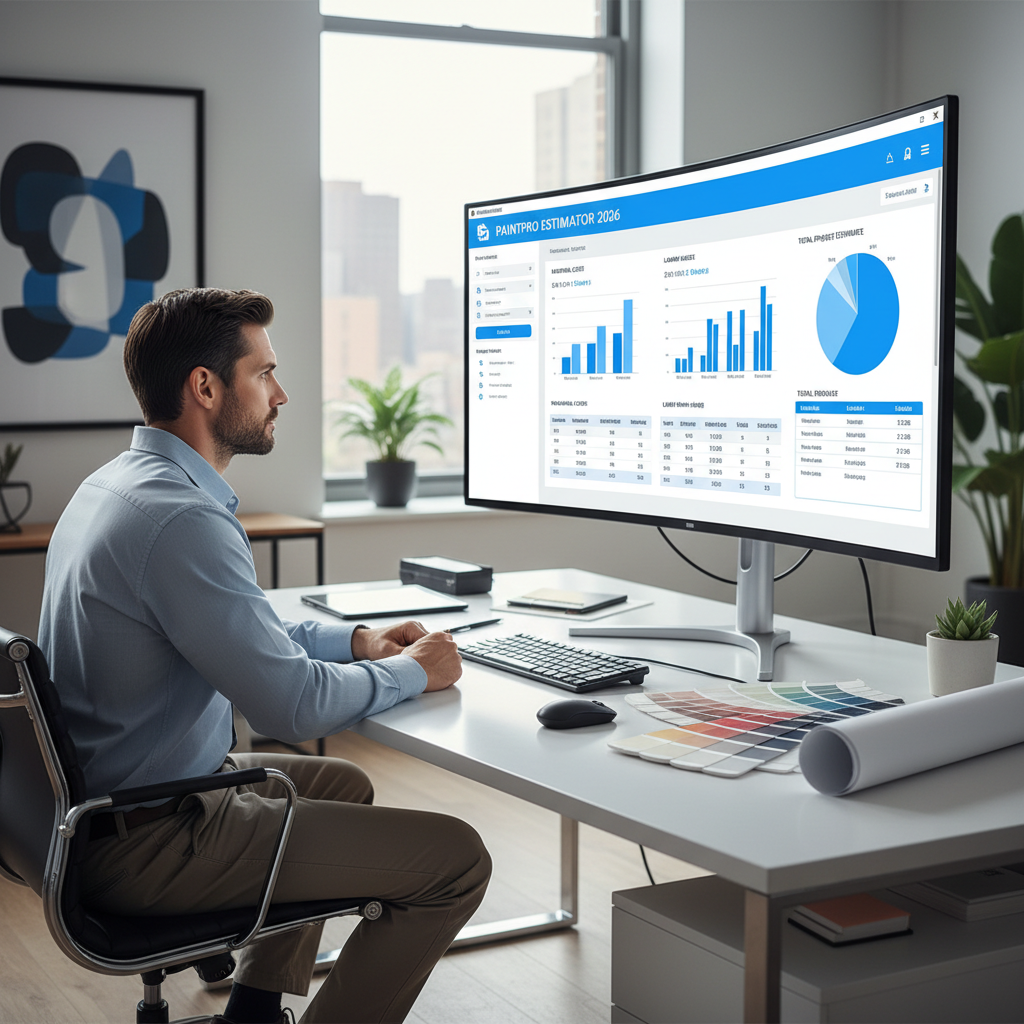
Top 10 Best Paint Estimating Software for Contractors in 2026
For professional painting contractors, the difference between a profitable job and a money-losing one often comes down to one thing: accurate estimation. Under-quote and you absorb the cost overrun. Over-quote and you lose the job to a competitor. Get it right every time, and your business grows.
The best paint estimating software in 2026 doesn't just count litres — it integrates material quantities, labour costing, profit margins, client management, and professional quote generation into a single workflow. In this guide, we rank and review the top 10 tools available today, so you can make the right choice for your business.
Why this matters financially: A painting contractor running 40 jobs per year who over-buys paint by just 15% on each job could be wasting $3,000–$6,000 annually in materials alone — before accounting for time spent on manual estimation.
Table of Contents
- Why Paint Estimating Software Matters
- Top 10 Paint Estimating Software — Ranked
- Full Feature Comparison Table
- The Clear Winner: Why PaintProCalc Leads in 2026
- How to Choose the Right Software for Your Business
- Start Free: Get PaintProCalc Pro Today
- FAQ
Why Paint Estimating Software Matters {#why-it-matters}

Before we rank the tools, it’s worth understanding what’s actually at stake.
The Cost of Bad Estimation
Professional painters and contractors face two estimation failure modes:
Under-estimation: You quote $1,800 for a job that costs $2,400 in materials and labour. You do the work, lose $600, and learn nothing — because you never tracked it.
Over-estimation: You quote $3,200 when the market rate is $2,200. The client goes with a competitor. You lose the job entirely.
Both failures share the same root cause: no systematic, accurate estimation process.
What Great Estimating Software Solves
- Accuracy: Surface-type-specific coverage rates, door/window deductions, wastage buffers
- Speed: Estimate in minutes, not hours
- Professionalism: Generate client-ready quotes and invoices
- Consistency: Every estimate follows the same process
- Profitability: Track actual vs estimated costs to improve margins over time
With that context, here are the top 10 tools ranked.
Top 10 Paint Estimating Software — Ranked {#ranked-list}
#1 🥇 PaintProCalc — Best Overall Paint Estimating Software {#1-paintprocalc}
Website: paintprocalc.com
Pricing: Free tier | Pro $2.99/mo | Business $19.99/mo
Best for: Individual painters, contractors, painting companies
PaintProCalc is the most purpose-built paint estimating platform available in 2026. Unlike general contractor tools that treat paint as an afterthought, PaintProCalc was designed from day one for painters — with surface-type-accurate calculations, professional PDF quote generation, and a full business management suite at a price point no competitor can match.
What Makes PaintProCalc #1
Paint-Specific Accuracy: 7 surface type presets (drywall, brick, wood, concrete, metal, render, previously painted) each with industry-calibrated coverage rates. No other tool in this list offers this level of paint-specific precision.
Complete Business Platform: Quotes → Invoices → Clients → Expenses → Profit margins — all in one place. Contractors routinely cancel 3–4 separate subscriptions after switching to PaintProCalc.
AI Paint Assistant (Painty): Ask natural language questions — "How much paint do I need for a 4m × 3m brick wall, 2 coats?" — and get instant answers.
Kanban Pipeline Board (Business plan): Visual job tracking from lead to completed — built specifically for painting company workflows.
Multi-Calculator Suite: Paint, tile, flooring, concrete, and deck calculators all accessible from the same dashboard.
7-Day Free Pro Trial: Full access to every Pro feature with no credit card required.
Pros
✅ Best-in-class paint calculation accuracy
✅ Full business suite at industry-lowest price
✅ AI assistant for instant answers
✅ Works on any device (PWA — no app install needed)
✅ Professional PDF quote and invoice generator
✅ Supports any paint brand
✅ 7-day free Pro trial
✅ Multi-language (EN, ES, FR)
Cons
❌ Full feature set requires Pro subscription ($2.99/mo)
❌ Business team features require Business plan ($19.99/mo)
Verdict: ⭐⭐⭐⭐⭐ — The undisputed best paint estimating software for contractors in 2026.
#2 JobNimbus — Best for Full-Service Contractors {#2-jobnimbus}
Pricing: From ~$25/user/month
Best for: Multi-trade contractors who also do painting
JobNimbus is a comprehensive field service management platform that includes estimation, CRM, project management, and invoicing. It covers roofing, siding, painting, and other trades in one platform.
Pros
✅ Excellent CRM and pipeline management
✅ Strong mobile app
✅ Integrates with QuickBooks and other accounting tools
✅ Good for multi-trade businesses
Cons
❌ Expensive — $25+/user/month
❌ Paint calculation is generic — no surface-type specificity
❌ Overkill for painting-only businesses
❌ Steep learning curve
❌ No paint-specific features like coverage rates or wastage buffers
Verdict: ⭐⭐⭐½ — Powerful but expensive, and not paint-specific. Better for multi-trade contractors.
#3 Joist — Best for Simple Quote Generation {#3-joist}
Pricing: Free basic | Pro ~$12/month
Best for: Solo tradespeople needing quick client quotes
Joist is a lightweight estimate and invoice app popular with sole traders across many trades. It’s fast, simple, and produces clean client-facing documents.
Pros
✅ Very easy to use
✅ Clean quote and invoice generation
✅ Reasonable pricing
✅ Good for sole operators
Cons
❌ No paint-specific calculation — just manual line items
❌ No coverage rate or surface area tools
❌ No paint quantity estimation
❌ Limited reporting
❌ You still need to calculate paint quantities manually before entering them
Verdict: ⭐⭐⭐ — Good quoting tool, but completely missing the paint calculation layer.
#4 Houzz Pro — Best for Interior Designers {#4-houzz-pro}
Pricing: From ~$49/month
Best for: Interior designers and design-build firms
Houzz Pro combines project management, mood boards, client communication, and basic estimating in a platform tailored to the design industry.
Pros
✅ Excellent for client presentations and mood boards
✅ Good project timeline and communication tools
✅ Strong brand reputation in the design space
Cons
❌ Very expensive ($49+/month) for what contractors need
❌ No paint-specific quantity calculation
❌ Estimation is manual line-item entry only
❌ Overkill and overpriced for painting contractors
Verdict: ⭐⭐⭐ — Great for designers, not built for painters.
#5 PaintScout — Best Paint-Specific CRM Alternative {#5-paintscout}
Pricing: From ~$39/month
Best for: Medium to large painting companies
PaintScout is one of the few tools explicitly built for painting businesses. It includes production rate-based estimating, CRM functionality, and proposal tools.
Pros
✅ Purpose-built for painting contractors
✅ Production rate estimating
✅ Good proposal templates
✅ Built-in CRM
Cons
❌ Expensive at $39+/month
❌ Complex setup and onboarding
❌ Overkill for solo painters or small crews
❌ Limited international support
❌ No AI assistant
Verdict: ⭐⭐⭐½ — A solid alternative for larger painting companies, but priced well above PaintProCalc for similar core features.
#6 Estimate Rocket — Best for Field Estimates {#6-estimate-rocket}
Pricing: From ~$79/month
Best for: Contractors who generate estimates in the field
Estimate Rocket is a field-focused estimating tool with mobile capabilities, digital signature capture, and automated follow-up workflows.
Pros
✅ Strong mobile experience for field estimating
✅ Digital signature on quotes
✅ Automated client follow-up
Cons
❌ Very expensive ($79+/month)
❌ No paint-specific calculation layer
❌ Requires significant setup time
❌ General contractor tool, not paint-optimised
Verdict: ⭐⭐⭐ — Powerful but overpriced for the average painting contractor.
#7 Markate — Best Budget Field Service Tool {#7-markate}
Pricing: From ~$19/month
Best for: Small painting businesses needing scheduling + invoicing
Markate is a budget-friendly field service management platform that handles scheduling, invoicing, and basic estimating.
Pros
✅ Affordable
✅ Good scheduling and dispatch features
✅ Simple invoicing
Cons
❌ No paint quantity calculation
❌ Basic estimation — manual line items only
❌ Limited reporting
❌ No AI features
Verdict: ⭐⭐½ — Decent for scheduling-focused businesses, but weak on estimation.
#8 Google Sheets (Custom Template) — Best Free DIY Option {#8-google-sheets}
Pricing: Free
Best for: Budget-conscious contractors willing to build their own tools
Many painters maintain custom Google Sheets or Excel templates with their own paint estimation formulas. When done well, these can be remarkably effective.
Pros
✅ Free
✅ Fully customisable
✅ Can be shared across a team
Cons
❌ You must build and maintain the template yourself
❌ No mobile-friendly interface
❌ Formula errors are common
❌ No PDF export for professional quotes
❌ Doesn’t scale beyond a few jobs
❌ No client management or expense tracking
Verdict: ⭐⭐ — A reasonable stopgap, but not a long-term professional solution.
#9 Dulux Paint Calculator — Best for One-Off Dulux Purchases {#9-dulux}
Pricing: Free
Best for: Homeowners buying Dulux paint
Dulux’s built-in web calculator provides quick litre estimates for Dulux-specific products. It’s a shopping tool, not a business tool.
Pros
✅ Free and fast
✅ Integrated with Dulux product recommendations
Cons
❌ Dulux products only
❌ No surface-type adjustment
❌ No cost estimation, project saving, or PDF export
❌ Not suitable for professional use
Verdict: ⭐⭐ — Useful only for Dulux shoppers.
#10 HomeDepot Calculator — Best for US Store Shoppers {#10-homedepot}
Pricing: Free
Best for: US homeowners shopping at HomeDepot
The HomeDepot paint calculator is embedded in their shopping app to help customers estimate quantities before adding to cart.
Pros
✅ Free
✅ Includes door/window subtraction
Cons
❌ HomeDepot products only
❌ No professional features
❌ US-only
❌ Not suitable for contractors
Verdict: ⭐⭐ — A shopping helper, not a professional estimating tool.
Full Feature Comparison Table {#comparison}
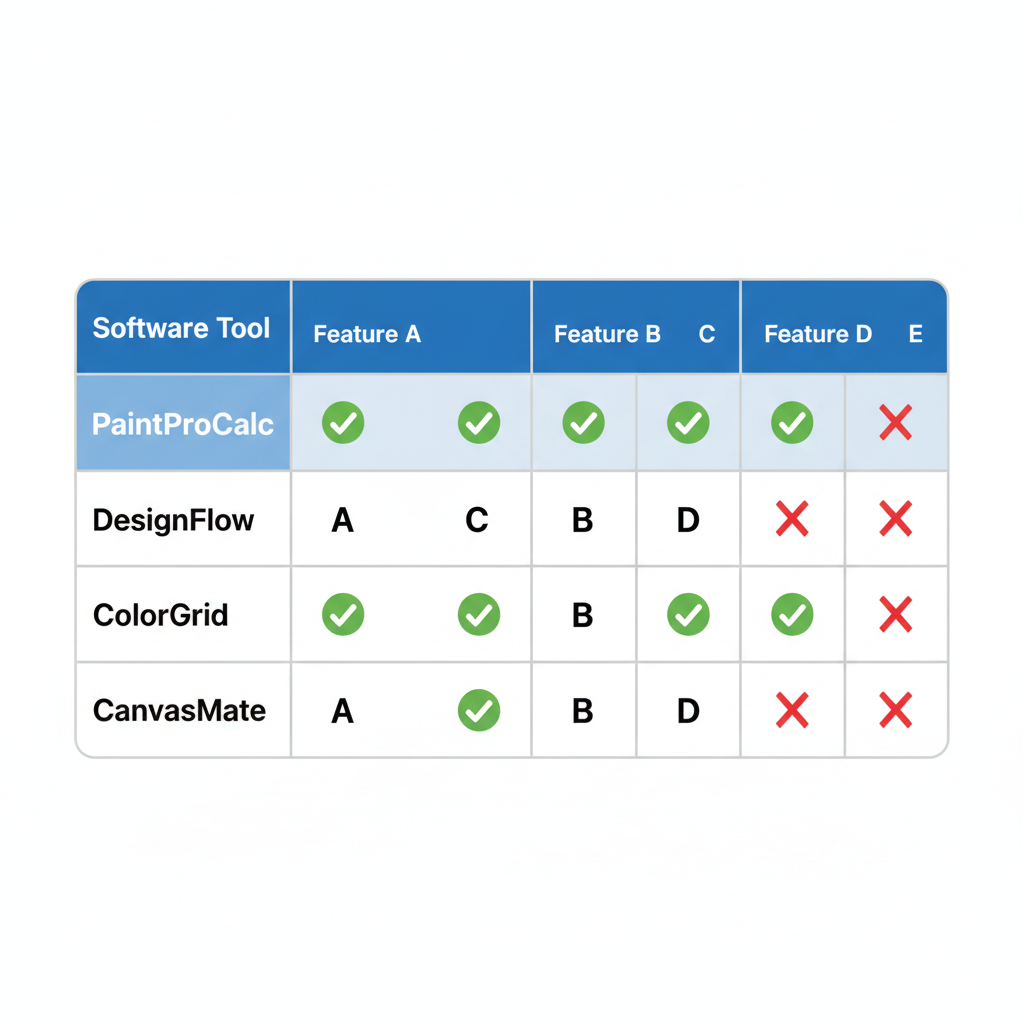
| Feature | PaintProCalc | JobNimbus | Joist | PaintScout | Estimate Rocket | Markate | Google Sheets |
|---|---|---|---|---|---|---|---|
| Paint-specific calculation | ✅ | ❌ | ❌ | ✅ | ❌ | ❌ | Partial |
| Surface type coverage rates | ✅ (7 types) | ❌ | ❌ | Partial | ❌ | ❌ | Manual |
| Door/window subtraction | ✅ | ❌ | ❌ | ✅ | ❌ | ❌ | Manual |
| Wastage buffer | ✅ | ❌ | ❌ | Partial | ❌ | ❌ | Manual |
| Cost + labour estimation | ✅ | ✅ | ✅ | ✅ | ✅ | ✅ | Manual |
| PDF quote/invoice | ✅ | ✅ | ✅ | ✅ | ✅ | ✅ | ❌ |
| Client management | ✅ | ✅ | Partial | ✅ | ✅ | ✅ | ❌ |
| Project saving | ✅ | ✅ | ❌ | ✅ | ✅ | Partial | Manual |
| Expense/profit tracking | ✅ | Partial | ❌ | Partial | ❌ | ❌ | Manual |
| AI assistant | ✅ | ❌ | ❌ | ❌ | ❌ | ❌ | ❌ |
| Kanban pipeline | ✅ | ✅ | ❌ | ✅ | Partial | Partial | ❌ |
| Mobile-friendly | ✅ | ✅ | ✅ | ✅ | ✅ | ✅ | ❌ |
| Multiple calculators | ✅ (5) | ❌ | ❌ | ❌ | ❌ | ❌ | Manual |
| Free tier available | ✅ | ❌ | ✅ | ❌ | ❌ | ❌ | ✅ |
| Starting price | $2.99/mo | $25/mo | $12/mo | $39/mo | $79/mo | $19/mo | Free |
PaintProCalc leads on every paint-specific dimension — at the lowest price point of any paid option.
The Clear Winner: Why PaintProCalc Leads in 2026 {#winner}
After reviewing 10 tools across every meaningful dimension, the verdict is clear: PaintProCalc is the best paint estimating software for contractors in 2026.
Here’s why the competition can’t match it:
1. It’s the Only Tool Built Exclusively for Painters
JobNimbus, Joist, Estimate Rocket, and Markate are general field service tools that happen to work for painters. PaintProCalc was built from day one for the specific workflow of a painting professional — from measuring a room to delivering a branded PDF quote to a client.
2. Paint Calculation Accuracy Is Unmatched
No other tool in this list offers 7 surface type presets with calibrated coverage rates, configurable wastage buffers, and accurate multi-room project management for a paint-specific workflow. The tools that come close (PaintScout) charge 13× more per month.
3. The Price-to-Value Ratio Is Extraordinary
At $2.99/month for Pro and $19.99/month for Business, PaintProCalc offers functionality that competitors charge $39–$79/month for. A solo painting contractor saves $400+ per year switching from PaintScout or Estimate Rocket to PaintProCalc — while getting better paint-specific features.
4. The 7-Day Free Trial Removes All Risk
Every other paid platform on this list requires you to commit or enter payment details before you can properly evaluate it. PaintProCalc gives you 7 days of full Pro access — unlimited projects, PDF quotes, AI assistant, client management — completely free, no credit card needed.
5. It Replaces Multiple Tools at Once
PaintProCalc replaces:
- Your paint quantity calculator (any app or spreadsheet)
- Your quoting and invoicing tool (Joist, etc.)
- Your client contact manager
- Your expense and profit tracker
- Your AI assistant for paint questions
For a painting business, that’s potentially $50–$100/month in subscriptions consolidated into $2.99.
Bottom line: If you paint professionally and you’re not using PaintProCalc, you’re either overpaying for a general tool or leaving money on the table with manual methods.
How to Choose the Right Software for Your Business {#buying-guide}
Not every contractor has the same needs. Here’s a quick framework:
Solo Painter / Owner-Operator
Best choice: PaintProCalc Pro ($2.99/month)
You need accurate estimates, professional quotes, and simple client tracking. PaintProCalc Pro covers all of this at the lowest cost in the market.
Small Painting Company (2–5 painters)
Best choice: PaintProCalc Business ($19.99/month)
You need team accounts, a pipeline to track job stages, task assignments, and reporting. PaintProCalc Business delivers all of this for less than any competitor.
Multi-Trade Contractor (painting + other trades)
Best choice: PaintProCalc + JobNimbus
If you run multiple trades, JobNimbus handles the broader CRM while PaintProCalc handles the paint-specific estimation layer that JobNimbus can’t.
Large Painting Enterprise (10+ painters)
Best choice: PaintProCalc Business + dedicated accounting software
For high-volume operations, PaintProCalc Business handles estimation and pipeline while a dedicated accounting platform handles payroll and tax.
Key Questions to Ask Any Estimating Tool
- Does it calculate paint quantities specifically, or just let me enter line items?
- Does it adjust coverage rates for different surface types?
- Can I generate professional PDFs for clients?
- Is there a free trial with no credit card required?
- Does it work on my phone without a clunky interface?
- Can I track actual vs estimated costs per job?
- Does it scale as my team grows?
PaintProCalc answers “yes” to all seven. Most competitors answer “yes” to two or three.
🚀 Start Free: Get PaintProCalc Pro Today {#cta}
Ready to upgrade your paint estimating from guesswork to precision?
PaintProCalc gives you everything you need to estimate accurately, quote professionally, and grow your painting business — starting with a 7-day free Pro trial.
What You Get Free for 7 Days
✅ Unlimited project saving
✅ Professional PDF quote and invoice generator
✅ Client management (add unlimited clients)
✅ Expenses and profit margin tracker
✅ AI Paint Assistant (Painty)
✅ Premium templates for common project types
✅ Contractor dashboard with pipeline view
✅ All 5 calculator types (paint, tile, flooring, concrete, deck)
Register Free on PaintProCalc — Start Your 7-Day Pro Trial →
No credit card required. Cancel anytime. Trusted by painters and contractors worldwide.
After your trial: Pro from just $2.99/month (less than a coffee), or Business from $19.99/month for full team features.
FAQ {#faq}
What is the best paint estimating software for contractors in 2026?
PaintProCalc is the best overall paint estimating software in 2026. It’s the only tool specifically built for painting professionals that combines accurate paint quantity calculation, quote generation, client management, and profit tracking at an affordable price.
Is there free paint estimating software for contractors?
PaintProCalc has a free tier with basic calculators and a 7-day free Pro trial with no credit card required. Google Sheets with a custom template is also free but requires significant setup and lacks professional features.
How much does professional paint estimating software cost?
Pricing varies widely: PaintProCalc Pro is $2.99/month, Joist is ~$12/month, PaintScout is ~$39/month, Estimate Rocket is ~$79/month, and JobNimbus is ~$25+/user/month. PaintProCalc offers the best value for painting-specific features.
What’s the difference between a paint calculator and paint estimating software?
A paint calculator computes quantities only (litres needed). Paint estimating software combines quantity calculation with cost estimation, labour pricing, profit markup, quote generation, and client management. PaintProCalc does both.
Can paint estimating software work on mobile?
Yes — PaintProCalc is a Progressive Web App (PWA) that works on any device without downloading an app. JobNimbus, Joist, and PaintScout also have mobile apps.
Does PaintProCalc work for large commercial projects?
Yes. PaintProCalc supports multi-room and large commercial projects. You can create separate calculations for different surface areas, save them as named projects, and export comprehensive material breakdowns.
What paint brands does PaintProCalc support?
PaintProCalc is completely brand-agnostic. You enter the coverage rate for whatever product you’re using, and it works with any paint brand worldwide — unlike Dulux and HomeDepot tools that are locked to their own product ranges.
Can I track profit margins with paint estimating software?
Yes — PaintProCalc Pro includes an expenses and profit margin tracker. Log your actual material and labour costs per project and compare them to your quoted amounts to see real margins over time.
Is PaintProCalc suitable for a painting company with multiple employees?
Yes. PaintProCalc Business ($19.99/month) supports up to 5 team members with a shared Kanban pipeline, task assignments, team reminders, and owner-level permission controls.
How do I get started with PaintProCalc?
Visit paintprocalc.com, register for a free account, and your 7-day Pro trial starts immediately. No credit card required. You’ll have access to every Pro feature from the moment you sign up.
About the Author: The Paint Pro Calc Editorial Team consists of professional painters, contractors, and construction industry writers who test and review painting tools, materials, and business software. Our mission is to help painting professionals work smarter, quote faster, and earn more.