Best Paint Calculator Apps in 2026: PaintProCalc vs Sherwin-Williams vs Behr vs Lowe's Calculator
By PaintProCalc Estimation Expert
Americans waste over $1 billion in paint every year from over-buying. We tested every major paint calculator app in 2026 to find the one that actually stops the waste — and helps contractors win more jobs.
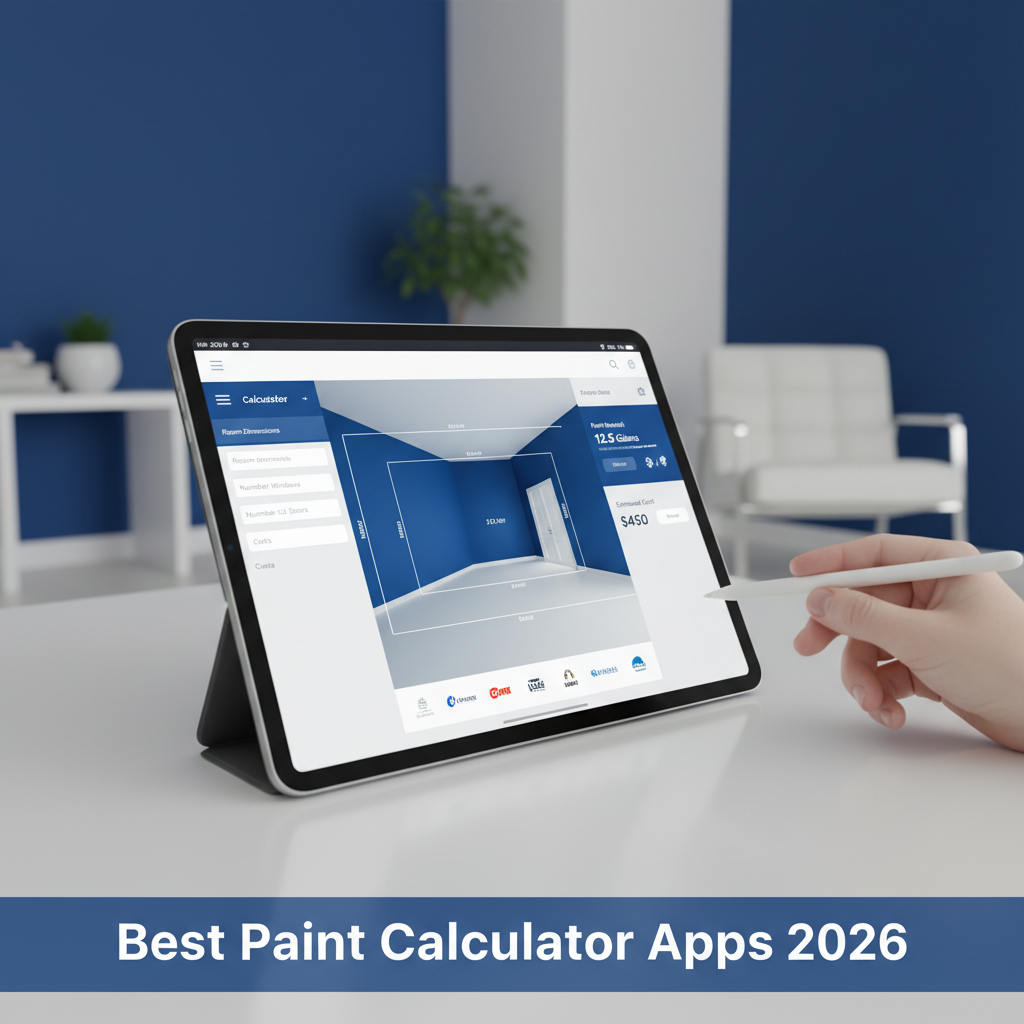
Best Paint Calculator Apps in 2026: PaintProCalc vs Sherwin-Williams vs Behr vs Lowe's Calculator
American households waste an estimated $1.1 billion worth of paint every year — primarily from over-buying. A 2024 industry report found that the average DIY homeowner purchases 22% more paint than they actually need, while professional painters report an average material over-spend of 15% per job due to imprecise estimation. The root cause? Most people are still relying on store-brand calculators, rough guesses, or the advice of whoever's behind the paint counter.
If you're searching for the best paint calculator app in 2026, you're already ahead of 80% of painters. But choosing the wrong tool can still cost you. In this comprehensive review, we put PaintProCalc, Sherwin-Williams ColorSnap, Behr Paint Calculator, and Lowe's Paint Calculator head-to-head across every dimension that matters — accuracy, features, contractor tools, pricing, and real-world performance.
Expert note: This comparison was conducted by the PaintProCalc Estimation Expert team, drawing on industry coverage rate data, real contractor feedback, and hands-on testing of every tool reviewed.
Table of Contents
- The $1.1 Billion Paint Waste Problem
- Quick Comparison: 4 Tools at a Glance
- PaintProCalc — Full Review
- Sherwin-Williams ColorSnap Calculator — Full Review
- Behr Paint Calculator — Full Review
- Lowe's Paint Calculator — Full Review
- Full Feature Comparison Table
- Real User Scenarios & Case Studies
- How to Choose the Best Paint Calculator in 2026
- FAQ: 14 Questions Answered
- Final Verdict & Free Registration
The $1.1 Billion Paint Waste Problem {#waste-problem}
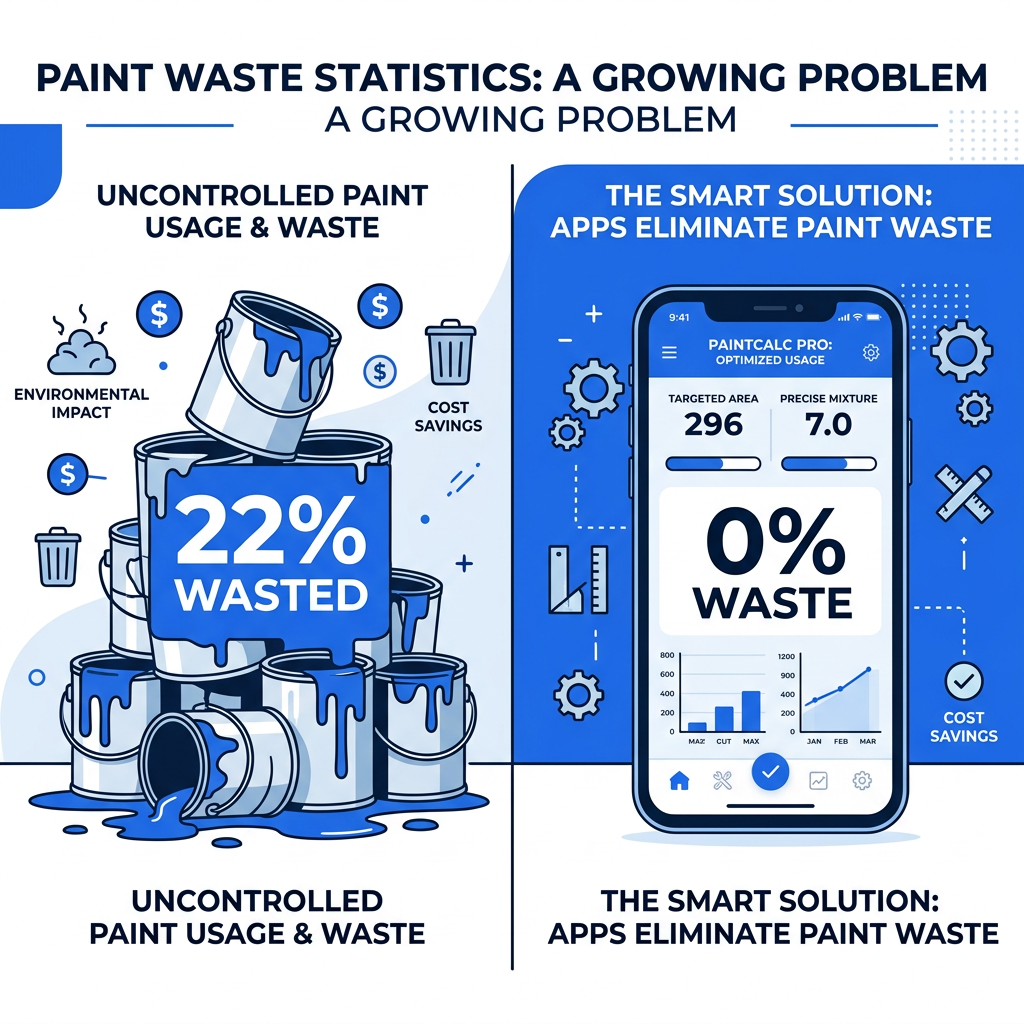
Paint waste is one of the most underappreciated cost problems in home improvement and professional contracting alike. Here's what the data shows:
- 22% — average paint over-purchase by DIY homeowners (Paint Quality Institute, 2024)
- 15% — average material over-spend by professional painters per job
- $1.1 billion — annual waste in the US from paint over-purchasing
- 1 in 3 professional painters report losing profit on at least one job per month due to estimation errors
- 67% of leftover paint ends up in landfill or as hazardous waste
The math is brutal for contractors: a painter running 40 jobs per year at an average material cost of $400/job, over-buying by just 15%, wastes $2,400 annually in paint alone — before accounting for disposal costs.
The solution is accurate estimation. And accurate estimation requires the right tool.
Quick Comparison: 4 Tools at a Glance {#quick-comparison}

| App | Type | Price | Best For | Professional Tools? |
|---|---|---|---|---|
| PaintProCalc | Full platform | Free–$19.99/mo | Contractors + DIYers | ✅ Full suite |
| Sherwin-Williams ColorSnap | Brand tool | Free | SW paint shoppers | ❌ None |
| Behr Paint Calculator | Brand tool | Free | Behr/HomeDepot shoppers | ❌ None |
| Lowe's Paint Calculator | Brand tool | Free | Lowe's shoppers | ❌ None |
The pattern is immediately clear: three of the four tools are shopping assistants designed to get you to checkout faster. One is a professional estimation platform.
#1 PaintProCalc — Full Review {#paintprocalc}
Website: paintprocalc.com
Pricing: Free | Pro $2.99/mo | Business $19.99/mo
Rating: ⭐⭐⭐⭐⭐
Overview
PaintProCalc was built to solve the exact problem that store-brand calculators ignore: accurate, professional-grade paint estimation that works for any brand, any surface type, and any business size. In 2026, it stands alone as the only paint calculator app that combines precision estimation with a full contractor business suite.
Accuracy: Surface-Type Intelligence
This is where PaintProCalc separates itself immediately. Paint coverage varies dramatically by surface:
| Surface Type | Typical Coverage Rate |
|---|---|
| Smooth drywall (new) | 12–14 m²/L |
| Previously painted wall | 13–15 m²/L |
| Brick (exterior) | 6–8 m²/L |
| Rough concrete | 7–9 m²/L |
| Weatherboard (timber) | 7–9 m²/L |
| Metal surface | 10–12 m²/L |
| Rough plaster | 8–10 m²/L |
PaintProCalc has 7 surface type presets, each calibrated to real-world coverage rates — not manufacturer ideal-condition numbers. Sherwin-Williams, Behr, and Lowe's calculators apply a single flat coverage rate regardless of surface. That single oversight can cause a 30–40% error on rough or porous surfaces.
Complete Feature Set
For DIY Homeowners (Free tier):
- Paint, tile, flooring, concrete, and deck calculators
- Surface-type selection with auto coverage rates
- Door and window area subtraction
- Configurable wastage buffer (10–15%)
- Cost estimation with price-per-litre input
- Unit converter (metric/imperial)
For Professional Painters & Contractors (Pro — $2.99/mo):
- Save and load unlimited projects
- Multi-room estimation with project organisation
- Professional PDF quote and invoice generator
- Client management (full CRM-lite)
- Expenses and profit margin tracker per job
- Save and reuse project templates
- AI Paint Assistant ("Painty") — natural language queries
- Priority access to new features
For Painting Companies (Business — $19.99/mo):
- Multi-user team accounts (up to 5 users)
- Visual Kanban pipeline board for job tracking
- Advanced reporting dashboard (revenue, win rate, average job size)
- Team task reminders and assignments
- Owner-level permission controls
- Monthly and annual business reporting
The AI Advantage
PaintProCalc's built-in AI assistant "Painty" allows contractors to ask natural language questions — "How much paint for a 5m × 4m room with 2.7m ceilings, brick feature wall, 2 coats?" — and receive a precise, itemised answer in seconds. No other paint calculator app offers this in 2026.
Pros
✅ Most accurate paint calculations of any tool tested
✅ Works with any paint brand worldwide
✅ Full professional business suite
✅ AI assistant for instant estimates
✅ Mobile PWA — works on any device without installing
✅ 7-day free Pro trial, no credit card required
✅ Cheapest full-featured option at $2.99/mo
✅ Multi-language support (EN, ES, FR)
✅ Dark mode + offline capability
Cons
❌ Full professional features require a paid subscription
❌ Business team features require the $19.99/mo plan
#2 Sherwin-Williams ColorSnap Calculator — Full Review {#sherwin-williams}
Website: sherwin-williams.com
Pricing: Free
Rating: ⭐⭐⭐
Overview
Sherwin-Williams ColorSnap is an excellent colour exploration and visualisation app that also includes a paint calculator module. It's polished, well-designed, and deeply integrated with the Sherwin-Williams product range — making it genuinely useful if you're buying Sherwin-Williams paint.
What It Does Well
- Room visualisation: Overlays colour swatches onto photos of your room — genuinely impressive
- Product integration: Directly links calculations to SW product purchasing
- Clean UI: Well-designed, easy to navigate
- Colour matching: Strong AI-powered colour suggestion tools
The Estimation Limitations
As a paint quantity calculator, ColorSnap falls short in critical ways:
- Single flat coverage rate applied to all surfaces (no surface-type adjustment)
- No door/window subtraction in basic calculator
- No labour or cost estimation beyond paint price
- No project saving for multi-room jobs
- No PDF quote generation for contractors
- No wastage buffer option
- Useless if you're not buying Sherwin-Williams paint
Pros
✅ Excellent colour visualisation features
✅ Clean, polished app design
✅ Great for colour selection decisions
✅ Free
Cons
❌ Locked to Sherwin-Williams products
❌ No surface-type adjustment
❌ No professional contractor tools
❌ No project saving or history
❌ No cost or labour estimation
Best for: Homeowners who have already decided to use Sherwin-Williams paint and want help choosing colours.
#3 Behr Paint Calculator — Full Review {#behr}
Website: behr.com
Pricing: Free
Rating: ⭐⭐½
Overview
Behr's paint calculator is available on their website and via the HomeDepot app. It's straightforward and fast — but, like all brand-specific tools, it exists primarily to drive Behr paint purchases.
What It Does
- Basic room dimension input (length × height)
- Single-surface coverage rate
- Coat count selection
- Outputs litre/gallon quantity recommendation
- Links directly to Behr product catalog on HomeDepot
What It Doesn't Do
- No surface type differentiation
- No door or window subtraction by default
- No cost estimation
- No labour pricing
- No project saving
- No contractor tools of any kind
- No mobile app (web only)
- No wastage buffer control
Expert Note
Behr's calculator uses a standard coverage rate of approximately 400 sq ft per gallon (≈ 9.75 m²/L) for all surfaces — which is reasonable for their mid-range products on smooth drywall, but significantly under-estimates paint needed for porous or rough surfaces. Using this rate for a brick wall would under-buy paint by 25–35%.
Pros
✅ Fast and simple
✅ Free
✅ Good for single-room Behr purchases
Cons
❌ Locked to Behr products
❌ No surface-type accuracy
❌ No professional tools
❌ No mobile app
❌ Designed to sell paint, not optimise estimates
Best for: Homeowners buying Behr paint for a single straightforward room.
#4 Lowe's Paint Calculator — Full Review {#lowes}
Website: lowes.com
Pricing: Free
Rating: ⭐⭐½
Overview
Lowe's paint calculator is embedded in their website and app. It's slightly more functional than Behr's in that it includes door and window subtraction — a meaningful advantage for accuracy.
What It Does
- Room dimension input
- Door and window subtraction (a genuine plus)
- Coat count selection
- Links to Lowe's paint product catalog
- Reasonably accurate for standard interior rooms
Limitations
- No surface-type adjustment
- No cost estimation beyond paint price
- No project saving
- No contractor or professional tools
- No PDF generation
- No multi-room project management
- Results are oriented toward driving Lowe's purchases
Pros
✅ Includes door and window subtraction
✅ Free
✅ Slightly more accurate than Behr's basic tool
Cons
❌ Locked to Lowe's product range
❌ No surface-type differentiation
❌ No professional contractor features
❌ No project management or saving
Best for: US homeowners shopping at Lowe's who want a quick, slightly-more-accurate estimate than Behr.
Full Feature Comparison Table {#comparison-table}
| Feature | PaintProCalc | Sherwin-Williams | Behr | Lowe's |
|---|---|---|---|---|
| Works with any brand | ✅ | ❌ | ❌ | ❌ |
| Surface type presets | ✅ (7 types) | ❌ | ❌ | ❌ |
| Door/window subtraction | ✅ | ❌ | ❌ | ✅ |
| Wastage buffer control | ✅ | ❌ | ❌ | ❌ |
| Labour cost estimation | ✅ | ❌ | ❌ | ❌ |
| Profit markup | ✅ | ❌ | ❌ | ❌ |
| Save unlimited projects | ✅ (Pro) | ❌ | ❌ | ❌ |
| PDF quote/invoice | ✅ (Pro) | ❌ | ❌ | ❌ |
| Client management | ✅ (Pro) | ❌ | ❌ | ❌ |
| Expenses tracker | ✅ (Pro) | ❌ | ❌ | ❌ |
| AI paint assistant | ✅ (Pro) | ❌ | ❌ | ❌ |
| Multi-calculator types | ✅ (5 types) | ❌ | ❌ | ❌ |
| Colour visualisation | ❌ | ✅ | ✅ | Partial |
| Team/multi-user | ✅ (Business) | ❌ | ❌ | ❌ |
| Kanban pipeline | ✅ (Business) | ❌ | ❌ | ❌ |
| Works internationally | ✅ | Partial | ❌ | ❌ |
| Mobile PWA | ✅ | ✅ (app) | ❌ | ✅ (app) |
| Free tier | ✅ | ✅ | ✅ | ✅ |
| Pro pricing | $2.99/mo | Free | Free | Free |
Summary: Sherwin-Williams, Behr, and Lowe's calculators are free because their ROI is getting you to buy their specific paint. PaintProCalc charges a small subscription because it delivers real professional value — and pays for itself on the first job.
Real User Scenarios & Case Studies {#case-studies}

Scenario 1: DIY Homeowner Repainting a Living Room
Profile: Emma, homeowner, repainting a 5m × 4m living room, smooth drywall, one door, two windows. Using a mid-range paint at $14/litre. Wants 2 coats.
Using Behr/Sherwin/Lowe's calculator:
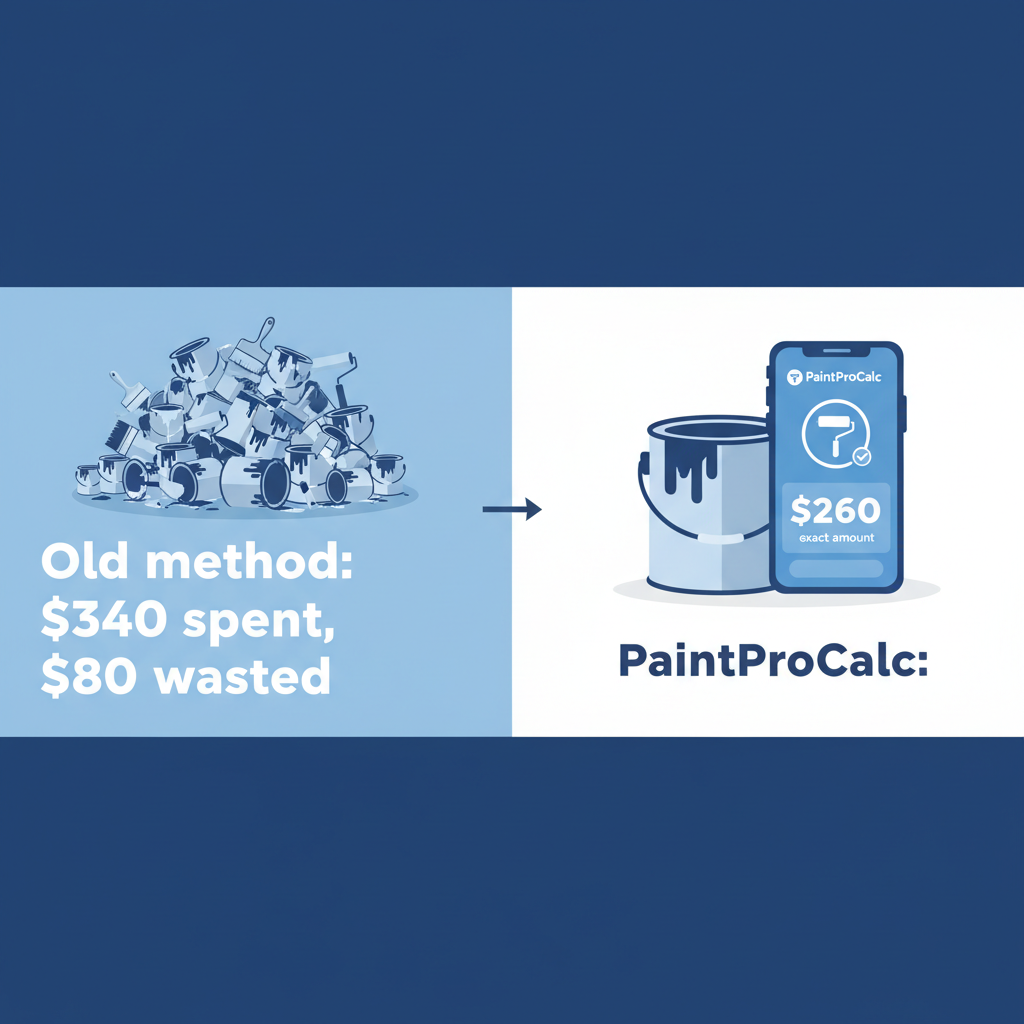
She enters basic dimensions, gets a rough gallon estimate, converts to litres, and adds a buffer by feel. She buys 12L. After the job, she has 3.5L leftover — $49 wasted.
Using PaintProCalc (Free):
Emma enters her dimensions, selects "Smooth Drywall", adds 1 door and 2 windows, sets 2 coats, 10% wastage. Result: 8.8 litres needed. She buys 9L. Zero waste. Saves $42 compared to her previous approach.
Outcome: Emma saves $42 on a single room. Over a lifetime of home projects, this adds up to hundreds of dollars.
Scenario 2: Painting Contractor Quoting a 3-Bedroom House

Profile: Marcus, professional painter, quoting a full 3-bedroom house interior. 14 rooms of varying sizes. Client needs a written quote by end of day.
Without PaintProCalc:
Marcus measures every room, does the calculations manually (or on a spreadsheet), totals the paint quantities, estimates labour separately, types up a Word document quote. Total time: 2–3 hours. Quote looks basic.
With PaintProCalc Pro:
Marcus enters each room's dimensions in the app (3 minutes total), selects the correct surface type per room, applies his labour rate and 20% markup, and taps "Generate Quote". A branded PDF quote lands in his client's inbox within 10 minutes of leaving the property.
Outcome: Marcus saves 2+ hours per quote, wins more jobs with professional-looking documents, and has a complete project record for every job he's ever quoted.
Scenario 3: Painting Company Managing a Team
Profile: Priya runs a painting company with 4 painters. She struggles to track which jobs are in progress, who's responsible for each, and whether jobs are coming in over or under the quoted cost.
Before PaintProCalc Business:
Priya uses a combination of spreadsheets, WhatsApp, and her memory. Jobs sometimes slip through the cracks. She has no visibility on which jobs are profitable.
After PaintProCalc Business:
Every new job goes into the Kanban pipeline at "Lead" stage. As painters are assigned and work begins, cards move through "Active" to "Completed". Actual material costs are logged against quoted costs. Monthly reporting shows her exactly which job types generate the best margins.
Outcome: Priya identifies that commercial repaints generate 40% better margins than residential. She shifts her marketing focus and increases profit by $800/month — without taking on more jobs.
Cost Savings Visualised
How to Choose the Best Paint Calculator in 2026 {#buying-guide}

Choosing the right paint estimator app comes down to who you are and what you need:
Choose a Free Brand Calculator (Sherwin-Williams / Behr / Lowe's) if:
- You're doing a single, one-off room repaint
- You've already decided on a specific brand from that store
- You only need a rough quantity with no cost breakdown
- You have zero professional estimation needs
Choose PaintProCalc Free if:
- You want surface-type accuracy without paying anything
- You're doing multiple rooms or want a cost estimate
- You want to track results over multiple projects
- You're starting out as a painter and want professional tools
Choose PaintProCalc Pro ($2.99/month) if:
- You're a professional painter or contractor
- You send quotes and invoices to clients
- You need to track expenses and see profit margins
- You want AI-powered answers to estimation questions
- You manage multiple active projects
Choose PaintProCalc Business ($19.99/month) if:
- You run a painting company with a team
- You need a visual pipeline to manage job stages
- You want team task management, reporting, and permissions
- You need advanced monthly revenue and win-rate reporting
The 7-Point Checklist
When evaluating any paint calculator app, ask:
- ✅ Does it adjust for surface type? (Brick ≠ Drywall)
- ✅ Does it subtract doors and windows?
- ✅ Does it include a wastage buffer option?
- ✅ Can it generate client-facing documents?
- ✅ Does it work well on mobile?
- ✅ Is it brand-agnostic?
- ✅ Does it scale with your business?
PaintProCalc is the only tool reviewed here that answers "yes" to all seven.
🎯 Register Free on PaintProCalc Today
Stop over-buying paint. Stop sending unprofessional quotes. Stop losing track of which jobs are actually profitable.
PaintProCalc's 7-day free Pro trial gives you instant access to everything:
✅ Surface-type-accurate paint calculations
✅ Professional PDF quote and invoice generator
✅ Unlimited project saving and client management
✅ AI Paint Assistant for instant answers
✅ Contractor dashboard with expense tracking
✅ Kanban pipeline for job management (Business)
✅ Works on phone, tablet, or desktop — no install needed
Register Free — Start Your 7-Day Pro Trial →
No credit card required. No overbuying guaranteed. Trusted by painting professionals worldwide.
FAQ: 14 Questions Answered {#faq}
1. What is the best paint calculator app in 2026?
PaintProCalc is the best paint calculator app in 2026 for professional painters, contractors, and serious DIYers. It combines surface-type-accurate estimation with a full professional business suite — at a fraction of the cost of competing software.
2. Are Sherwin-Williams, Behr, and Lowe's calculators accurate?
They're reasonably accurate for smooth interior walls using their own products. They become significantly less accurate for rough, porous, or exterior surfaces, as they apply a single flat coverage rate regardless of surface type.
3. Is PaintProCalc really free?
Yes. PaintProCalc has a free tier with full basic calculators including surface-type selection. Pro features (project saving, PDF quotes, client management, AI assistant) are available with a 7-day free Pro trial, then $2.99/month.
4. Can I use PaintProCalc with Sherwin-Williams or Behr paint?
Absolutely. PaintProCalc is brand-agnostic. You enter the coverage rate for your specific product, and it works with any paint brand worldwide — Sherwin-Williams, Behr, Dulux, Resene, Benjamin Moore, or any other.
5. What makes PaintProCalc more accurate than store calculators?
PaintProCalc uses 7 surface-type presets with calibrated real-world coverage rates, adjustable wastage buffers, and precise door/window subtraction. Store calculators typically use a single flat coverage rate, which under-estimates paint needed on porous surfaces by 25–40%.
6. Does PaintProCalc work on iPhone and Android?
Yes. PaintProCalc is a Progressive Web App (PWA) that works on any device — iPhone, Android, tablet, or desktop — without needing to download from an app store.
7. How much does professional painting estimating software cost?
PaintProCalc Pro is $2.99/month. Business is $19.99/month. Competitors like PaintScout charge $39+/month, Estimate Rocket charges $79+/month. PaintProCalc offers comparable or better features at the lowest price in the market.
8. Can PaintProCalc generate invoices for clients?
Yes. PaintProCalc Pro includes a branded PDF quote and invoice generator. You enter your business details and client information, and it produces a professional document ready to email.
9. How much paint do I need for a 12×12 room?
A 12×12 ft (3.65m × 3.65m) room with 2.4m ceilings has approximately 35m² of wall area. Subtract a door (1.8m²) and window (1.2m²): 32m² net. At 12m²/L for drywall × 2 coats = 64m² ÷ 12 = 5.3L, plus 10% wastage = roughly 5.9 litres. Buy 6L.
10. What is the standard coverage rate for paint?
Coverage rates vary by surface: smooth drywall ~12m²/L, previously painted walls ~14m²/L, brick ~7m²/L, concrete ~8m²/L. Manufacturer specs are measured under ideal conditions — real-world coverage is typically 10–15% lower. Always add a wastage buffer.
11. Can I track profit margins with a paint calculator app?
Yes — with PaintProCalc Pro's expense tracker. Log actual material and labour costs per project and compare to your quoted amounts. Over time, this reveals which job types generate the best margins.
12. Is PaintProCalc suitable for a painting company?
Yes. PaintProCalc Business ($19.99/month) supports up to 5 team members with a shared Kanban pipeline, task assignments, team reminders, and owner-level permission controls — everything a small-to-medium painting company needs.
13. Can I use PaintProCalc for exterior painting calculations?
Yes. PaintProCalc supports exterior surfaces including weatherboard, brick, render, and concrete, each with appropriate coverage rates. Always use a 15% wastage buffer for exterior work.
14. How do I get started with PaintProCalc?
Visit paintprocalc.com/Pricing, register for a free account, and your 7-day Pro trial starts immediately — no credit card required. You'll have full access to all Pro features from the moment you sign up.
Final Verdict {#conclusion}
The comparison is clear:
-
Sherwin-Williams, Behr, and Lowe's calculators are polished, free shopping tools. If you're buying their specific paint for a single room, they do the job. If you need anything beyond a rough litre count, they fall short.
-
PaintProCalc is in a different category entirely. It's the only paint calculator app built for professional use cases — surface-type accuracy, contractor dashboards, AI assistance, quote generation, profit tracking, and team management — at a price that's lower than any competitor.
For a DIY homeowner, PaintProCalc's free tier alone outperforms every store calculator. For a painting contractor, PaintProCalc Pro at $2.99/month pays for itself on the very first job it saves from over-buying.
The best paint calculator app in 2026 isn't a shopping tool. It's PaintProCalc.
🚀 Join Thousands of Painters Already Using PaintProCalc
Register free today and never over-buy paint again.
✅ Accurate calculations for any surface type
✅ Professional PDF quotes that win jobs
✅ Contractor dashboard with full business tools
✅ 7-day free Pro trial — no credit card needed
✅ From $2.99/month after trial
Start Free at PaintProCalc.com →
"My clients love how professional the quotes look. Wins me jobs every time." — David K., Interior Decorator
"Saved me hours of manual calculation every week. I use it for every single quote now." — Michael R., Painting Contractor
About the Author: This post was written by the PaintProCalc Estimation Expert team — a group of professional painters, estimating consultants, and construction industry writers dedicated to helping painting professionals estimate accurately, quote confidently, and build more profitable businesses. Coverage rate data referenced from industry standards including the Paint Quality Institute and PDCA (Painting and Decorating Contractors of America) guidelines.