Best Affordable Paint Estimation Software: Why Paint Pro Calc Is the Smart Choice
By Paint Pro Calc Team
Most painters are paying for 3–5 separate tools when one does everything better for less than $3 a month. Here's the full breakdown.
The Tool Overload Killing Painter Productivity
Ask any professional painter what software they use, and you'll get a familiar answer: a spreadsheet for estimates, a separate app for invoicing, another for client contacts, maybe a notes app for job details, and a calculator on their phone for paint quantities.
Five tools. Five subscriptions. Five logins. And somehow, none of them talk to each other.
This fragmented approach costs painters real money — not just in subscription fees, but in the time lost switching between apps, re-entering the same information, and hunting for old project details when a client calls back six months later.
The good news: there's a better way. And it costs less than a cup of coffee per month.
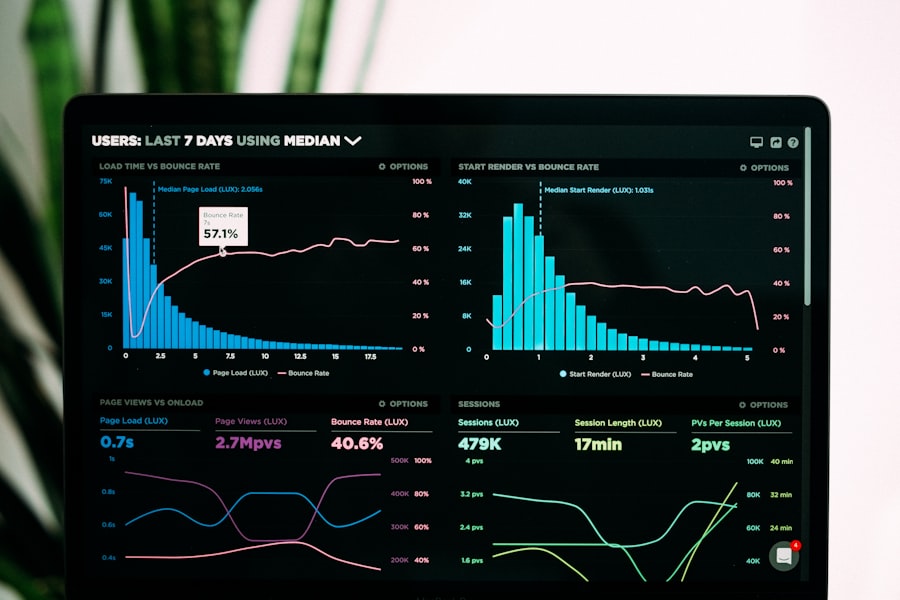
What Painters Are Currently Paying For
Let's be honest about where the money goes. A typical professional painter using separate tools might be paying for:
- Estimating software (e.g., Estimate Rocket, PaintScout): $49–$99/month
- Invoicing software (e.g., FreshBooks, QuickBooks): $15–$30/month
- CRM / client tracking (e.g., HubSpot, Zoho): $20–$50/month
- Job management (e.g., Trello, Asana): $10–$25/month
- Paint calculator: free apps or manual calculation — but no integration with anything else
Total: $94–$204/month — or up to $2,448/year — for a stack of tools that still doesn't tell you how much paint to buy.
That's before factoring in the time cost: setup, training, data entry duplication, and the inevitable errors that come from manually moving numbers between systems.
Cost Comparison: All-in-One vs Separate Tools
| Tool / Approach | Monthly Cost | Annual Cost | Has Paint Calculator | Invoicing | Client CRM | Profit Tracking |
|---|---|---|---|---|---|---|
| Paint Pro Calc Pro | $2.99 | $24.99 | ✅ Yes | ✅ Yes | ✅ Yes | ✅ Yes |
| Paint Pro Calc Business | $19.99 | $199 | ✅ Yes | ✅ Yes | ✅ Yes | ✅ Yes + Team |
| Estimate Rocket | $99 | $1,188 | ❌ No | ✅ Yes | ✅ Yes | ❌ No |
| PaintScout | $79 | $948 | ❌ Basic | ✅ Yes | ✅ Yes | ❌ Limited |
| Jobber | $49 | $588 | ❌ No | ✅ Yes | ✅ Yes | ❌ Basic |
| FreshBooks alone | $19 | $228 | ❌ No | ✅ Yes | ❌ No | ❌ No |
| Spreadsheet stack | $0–$30 | $0–$360 | ❌ Manual | ❌ Manual | ❌ None | ❌ None |
The numbers speak for themselves. Paint Pro Calc Pro delivers more painting-specific value than any competitor — at a fraction of the price.
Use Paint Pro Calc to instantly calculate paint, cost, and profit.
What Makes Paint Pro Calc Actually Different
Every tool claims to be the "all-in-one solution." Most aren't. Here's what sets Paint Pro Calc apart from generic contractor software:
It Was Built for Painters — Not Plumbers, Electricians, or Landscapers
Generic field service software is designed to serve dozens of trades. As a result, it does everything adequately and nothing exceptionally well for painters.
Paint Pro Calc was built specifically around the workflow of painting contractors and homeowners. Every feature exists to answer the questions painters actually ask: How much paint do I need? What should I charge? Am I making money on this job?
It Works in Both Metric and Imperial
Painters in the USA work in square feet (sq ft) and gallons. Painters in the UK, Australia, Germany, France, and across Europe work in square meters (m²) and litres.
Paint Pro Calc handles both — with no settings to change, no unit conversion headaches, and no "only available in your region" limitations. It's a genuinely global tool.
Feature Breakdown: Everything in One Place

Paint Calculator
The core feature — and the one most competitors skip entirely. Enter your room dimensions (walls, ceiling, doors, windows), number of coats, and surface type. Paint Pro Calc returns the exact paint volume you need in litres or gallons, adjusted for real-world coverage rates.
No more buying an extra tin "just in case." No more running out on coat two.
Cost Estimation
Attach material costs and labour rates to every calculation. Get a complete project cost breakdown — materials, labour, and overhead — before you quote a single job. Built-in margin controls let you set your target profit percentage and see the suggested quote price instantly.
Profit Tracking
After the job, log your actual spend and compare it against your quoted amount. Over time, you'll see exactly which types of jobs are most profitable — and which ones are quietly costing you money. This insight alone is worth more than the annual subscription.
Project Management
Save every project with full input history, notes, and results. Pull up last year's bedroom calculation when a client calls to repaint. Use saved projects as templates for similar future jobs. Share project details with clients or team members via a secure link.
Invoice Generation
Generate professional PDF quotes and invoices in one click. Add your business logo, client details, line items, and payment terms. Send directly or download to share however you prefer — no Word template fiddling required.
Real Scenario: What This Looks Like in Practice
Meet James, a sole-trader painter in Auckland, New Zealand. Before Paint Pro Calc, his quoting process looked like this:
- Measure the site manually and write figures in a notepad (10 min)
- Open a spreadsheet, enter measurements, calculate paint manually (15 min)
- Open Word, copy-paste figures into his invoice template (20 min)
- Email the client, wait for questions about line items (follow-up: 10 min)
- After the job, manually update a separate spreadsheet with actual costs (10 min)
Total: 65 minutes per quote. James quotes 3–4 jobs a week.
With Paint Pro Calc:
- Enter dimensions on-site from his phone (3 min)
- Review the auto-generated cost and quote breakdown (1 min)
- Export PDF and send directly to the client (2 min)
- Log actual expenses after the job (2 min)
Total: 8 minutes per quote. That's 57 minutes saved, three or four times a week — roughly 3–4 hours every week returned to billable work or rest.
At $45/hour, that's $135–$180 in recovered time. Every week. From a tool that costs $2.99/month.
Why All-in-One Always Beats a Tool Stack
There's a temptation to keep using separate free or cheap tools because "they work fine." But the real cost of a fragmented stack is rarely visible until you add it up:
- Re-entry errors: typing the same number into three different apps introduces mistakes
- Version confusion: which version of the quote did the client actually receive?
- Lost history: when you cancel an app subscription, you lose all your data
- Mental overhead: remembering which app does what, and keeping them all updated
An integrated tool eliminates all of this. Your calculation, your quote, your invoice, and your actual costs all live in one place — connected, consistent, and retrievable at any time.
Final Comparison Summary
Here's the honest bottom line for painters evaluating their software options:
| What you need | Separate tools approach | Paint Pro Calc |
|---|---|---|
| Paint calculator | Not included in most | ✅ Core feature |
| Quote & invoice | Extra subscription needed | ✅ Built in |
| Client records | Extra subscription needed | ✅ Built in |
| Profit tracking | Manual or extra tool | ✅ Built in |
| Monthly cost | $94–$200+ | $2.99 |
| Works globally (sq ft + m²) | Varies | ✅ Yes |
| Mobile-friendly PWA | Varies | ✅ Yes |
| 7-day free trial | No | ✅ Yes |
For solo painters, small crews, and growing painting businesses across the USA, UK, Australia, and Europe, there's no comparable product at this price point.
Your Next Job Starts Here
Stop paying for multiple tools. Start your free estimate with Paint Pro Calc today and save time and money.
Full Pro access for 7 days — no credit card required. Everything you need, in one place, for less than a coffee a month.