Paint Estimator Tools for Contractors 2026 – Why Paint Pro Calc Beats Free Brand Calculators
By Paint Pro Calc Team
A detailed comparison of paint estimator tools for professional contractors in 2026, including quotes, invoices, and profit tracking features.
Paint Estimator Tools for Contractors 2026 – Why Paint Pro Calc Beats Free Brand Calculators
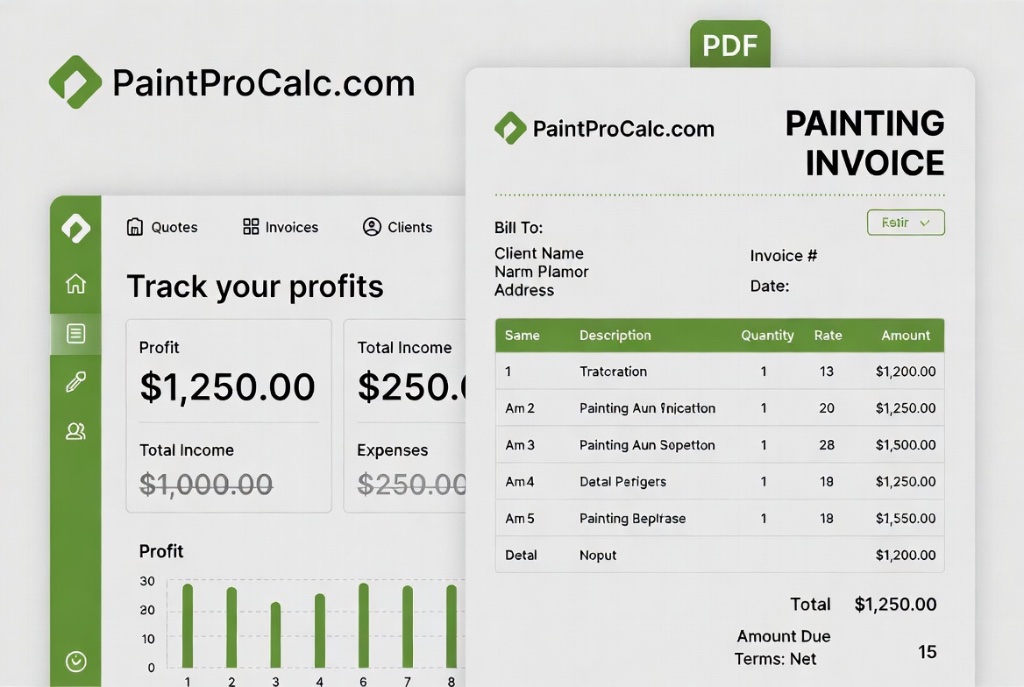
If you're a professional painter or painting contractor, your estimating tool is your most important business asset. Get it right and you win profitable jobs consistently. Get it wrong and you're either losing money on every job or losing bids to competitors.
In 2026, there's no shortage of free paint calculators online — but almost none of them are designed for contractors running a real business. This guide compares the options and explains exactly why Paint Pro Calc is the tool that serious professionals are switching to.
What Professional Contractors Actually Need
A homeowner needs to know how many litres to buy. A contractor needs much more:
- Accurate paint quantities — to avoid waste and underbidding
- Material cost breakdown — so you know your floor price
- Labour cost estimation — by m² or by day rate
- Profit margin calculation — so every job has a target margin
- Professional quote document — to send to clients
- Invoice generation — for payment once the job is done
- Project history — to look back at previous jobs
- Client records — contact details, job addresses, notes
Free brand calculators give you one of these things. Paint Pro Calc gives you all of them.
The Problem with Brand Paint Calculators
Dulux, Sherwin-Williams, Resene, PPG, and other paint brands all offer free calculators on their websites. And they're useful — for one thing: estimating how many cans of their paint you need.
Here's what they won't tell you:
- Your labour cost
- Your material cost if you use a different brand
- Your suggested quote price
- Your profit margin
- How to turn your calculation into a client quote
- Anything about invoicing or payment
These calculators exist to sell paint. They're not designed to help you run a business.
Full Feature Comparison: 2026

| Feature | Dulux Calculator | Sherwin-Williams | Basic Tools | Paint Pro Calc |
|---|---|---|---|---|
| Paint quantity | ✅ | ✅ | ✅ | ✅ |
| Multiple surface types | ✅ | ✅ | ❌ | ✅ |
| Material cost estimate | ❌ | ❌ | ❌ | ✅ |
| Labour cost calculator | ❌ | ❌ | ❌ | ✅ |
| Profit margin display | ❌ | ❌ | ❌ | ✅ |
| PDF quote generator | ❌ | ❌ | ❌ | ✅ |
| Invoice generator | ❌ | ❌ | ❌ | ✅ |
| Save projects | ❌ | ❌ | ❌ | ✅ |
| Client management | ❌ | ❌ | ❌ | ✅ |
| Works on mobile | Partially | Partially | Partially | ✅ |
| Brand-neutral | ❌ | ❌ | ✅ | ✅ |
| Free tier | ✅ | ✅ | ✅ | ✅ |
| Pro tier (full features) | ❌ | ❌ | ❌ | $2.99/mo |
Real-World Contractor Workflow: Before vs After Paint Pro Calc
Before (using separate tools)
- Visit job site, take measurements
- Go home, open Excel spreadsheet
- Calculate paint quantity manually
- Look up current paint prices online
- Estimate labour time from experience
- Open Word to write a quote
- Email the quote as a Word doc
- Follow up manually when job is done
- Write an invoice in Word
- Try to remember how profitable the job was
Time spent: 2–4 hours per quote
After (using Paint Pro Calc)
- Visit job site, enter measurements into Paint Pro Calc on your phone
- Get instant paint quantity, cost, and suggested quote price
- Generate a branded PDF quote and email it to the client in 2 minutes
- When the job is done, convert the quote to an invoice in one click
- Check your profit margin in the dashboard
Time spent: 15–20 minutes per quote
How Paint Pro Calc Protects Your Profit Margin
One of the most common problems for painting contractors is profit erosion — you quote a job, win it, and then discover your actual costs were higher than expected.
Paint Pro Calc Pro solves this with the Expenses & Profit Tracker:
- Log actual paint costs as you buy them
- Record any subcontractor costs
- Compare actual spend to your quoted price
- See your real profit margin on every job
Over time, this data helps you quote more accurately and stop underpricing your work.
Paint Pro Calc for Different Contractor Types
Solo painters: The free paint calculator handles your day-to-day estimates. Upgrade to Pro when you're ready to send professional quotes.
Small painting businesses (2–5 staff): Pro gives you project management, client records, and profit tracking across multiple jobs.
Larger contractors: The project dashboard lets you manage multiple active jobs, track profitability, and maintain a full client database.
Pricing: What Paint Pro Calc Costs vs What It Saves
Paint Pro Calc Pro: $2.99/month or $24.99/year
Compare that to:
- QuickBooks (invoicing only): $30–$90/month
- Jobber (field service software): $49–$249/month
- ServiceM8: $29–$99/month
For painting contractors, Paint Pro Calc is the only tool that combines paint calculation and business management in a single, affordable platform.
If upgrading to Pro saves you just one hour of quoting time per month, it pays for itself 10×.
Getting Started: Step-by-Step
- Go to paintprocalc.com — no download required
- Enter your room dimensions — the calculator handles all the math
- Review the cost and profit breakdown
- Create a free account to save your project
- Upgrade to Pro for PDF quotes, invoices, and profit tracking
→ Start Free — No Signup Required
The Bottom Line
Free brand paint calculators are fine for homeowners buying a tin of paint. For contractors who need to win jobs, protect margins, and build a professional business, they simply aren't enough.
Paint Pro Calc is purpose-built for painting professionals. It's the only tool in 2026 that takes you from site measurement to client invoice — in one platform, for under $3/month.
Try it free today. No credit card needed.